
Ads
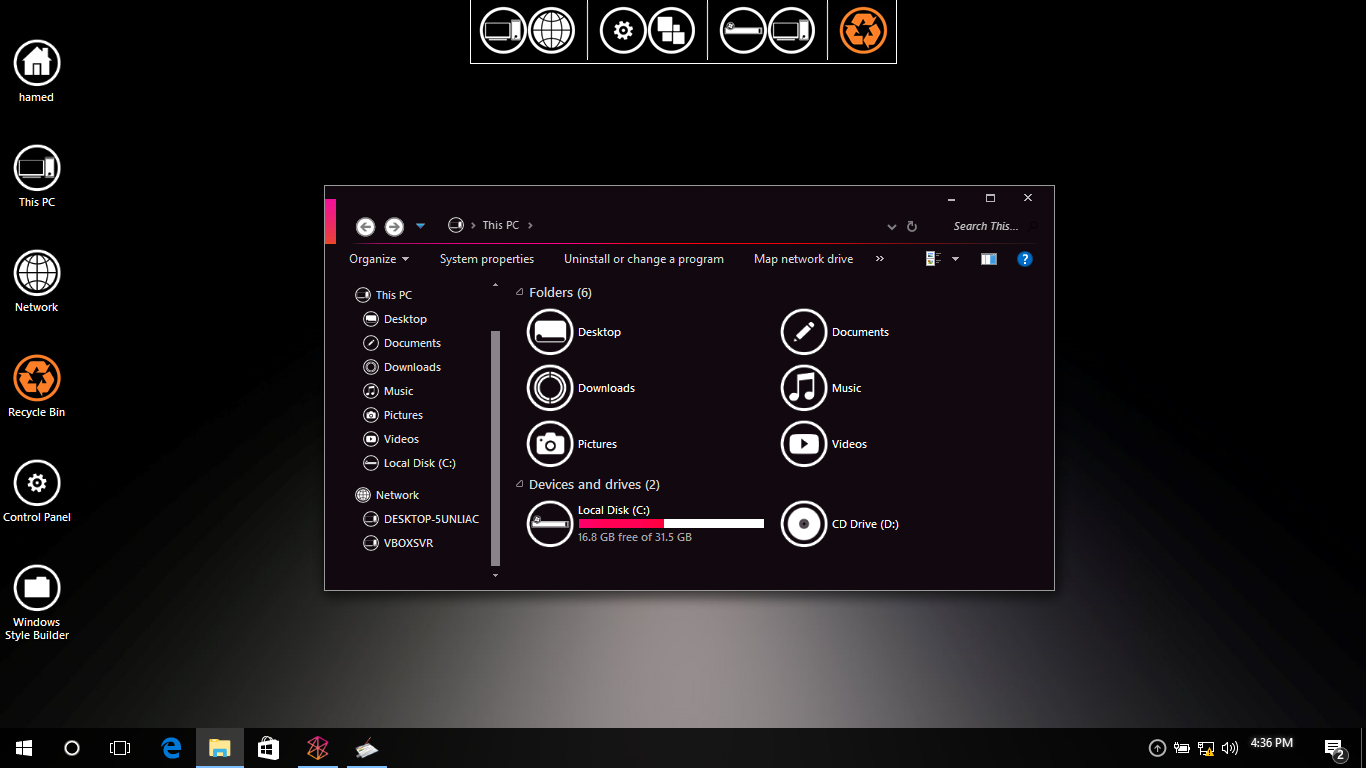
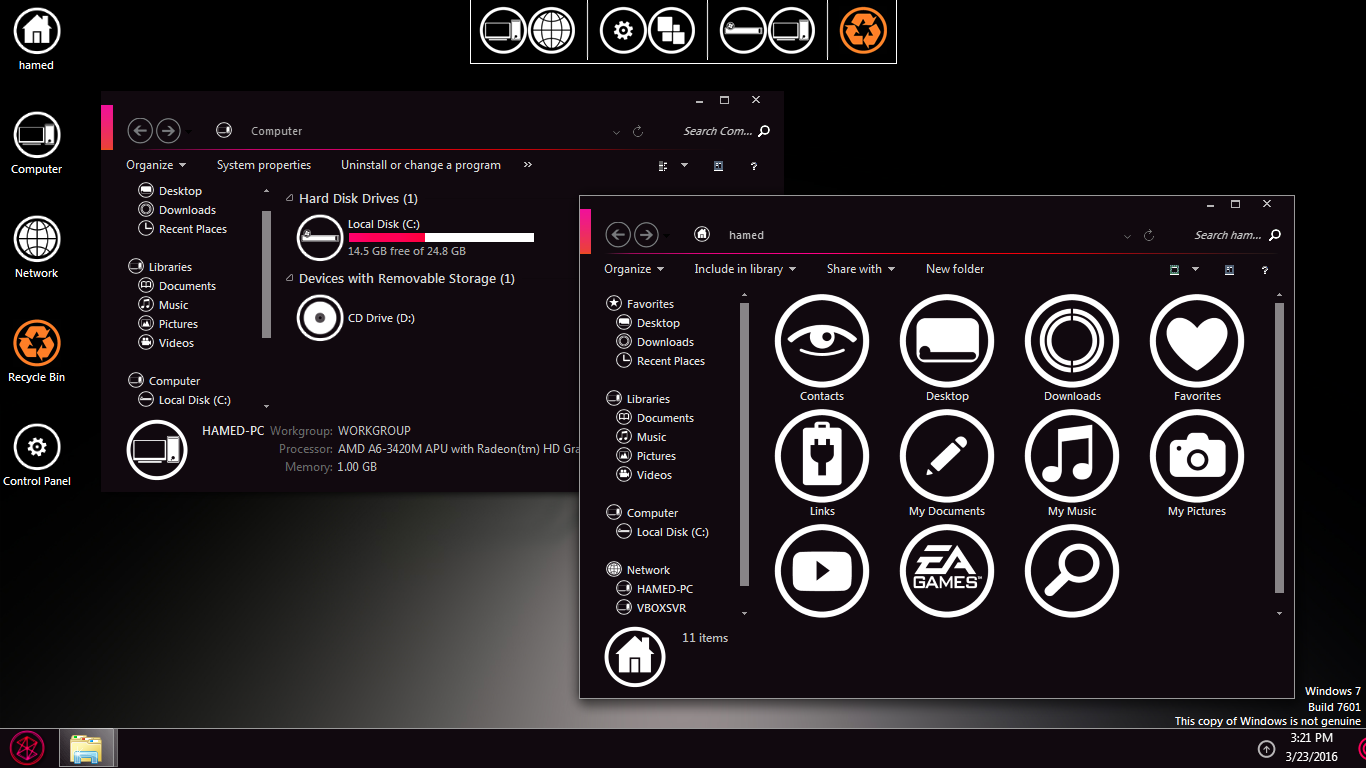
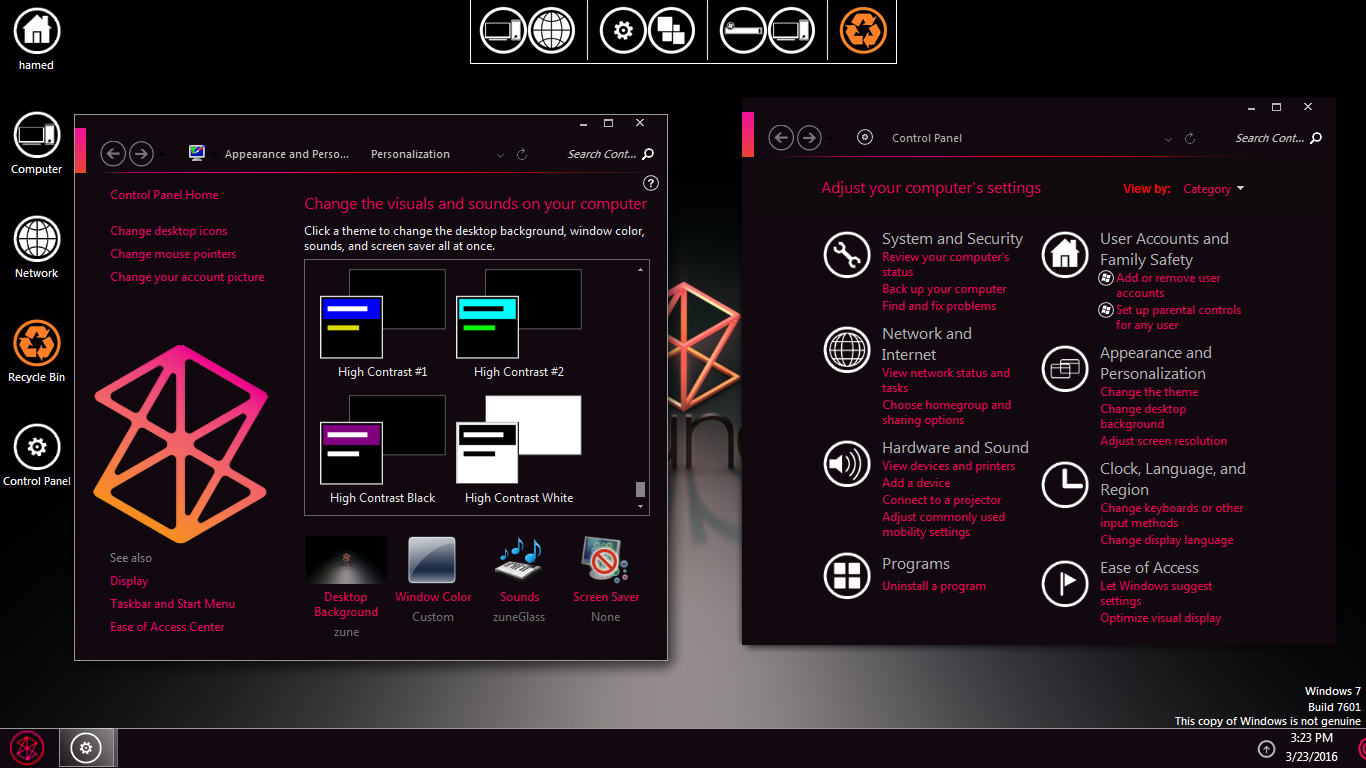

Transform Windows 7/10 to Dark Zune
 Download with icon and extra
The Windows 11 theme’s themselves are experimental, much of the overall look and results will vary depending on each users dpi settings, Best work on 100% scale and layout size, you need to set it from display setting, Also for enable start menu and taskbar skin you need to install startisback from startisback.com
Password: skinpacks.com
Malware/virus warning? Read the FAQ.
Windows 7/10 21H1 [X86_X64]
Note: Please unistall old or other version of skin packs before install new one. if your theme not changed or its like classic windows you need to install uxtheme patcher from here and after restart select new theme from personalization.
Because skin packs will change file system (imageres.dll) to change icons so maybe Windows show warning, if you’re have any problem with installer then just use portable version. all theme have been fully tested, once purchase has been completed no refund will be available, however we will try to provide all possible technical assistants as required.
You’re advised to Create a System Restore Point before installing skinpack.If you have problem with install or uninstall skinpack, please check our help page.

[…] Visit Homepage […]
Can you make a version for win10 rs2?
It’s been a long time since the promised win 8 version. Still waiting :(
Windows 7 Black Edition v2 x64 is a modified version of Windows 7 Ultimate SP1. It was developed by RemasterOS.
does this works correctly with windows 10 1703 ????
just RS1
[…] Visit Download Page […]
[…] Visit Download Page […]
[…] Visit Download Page […]
windows 10 please
Please make an update for windows 8.1 please… 64-bit :D
Windows 8 Version Please!!! :(
I love the skin so much, but it won’t let me open my internet explorer now. There is an error iexplorer.exe – Entry point not found. Can u fix this? thank you.
soon
Make for windows 8 please :D
soon
u said soon and i don’t see anything q.q
we are working on this
You made 2 skin packs and you still didn’t finish this ? ..
Iam waiting from sept.16 Ugh
Can you make it for windows 8 please
sure
Make for windows 8 please best skin pack !!!
My pc doesn’t boot anymore.
When I installed it,I restarted my pc
And now I just see “please wait” on my bootscreen and then it goes blank. Any useful solution please ;(
https://skinpacks.com/help-faq/
[…] Sumber | Source […]
This skin is amazing.. but one little problem keeps me from using it.. in the propreties window you can see the black characters on the black window…
use light version
i want to uninstall my old skin pack.which component should i select to uninstall.if i uninstall my skinpack,did it effect my document and all folder in my laptop??
you can unistall it from Programs and Features
No you’re not.. it uninstalls only the skinpack and all other its components.. you dont have to worry about your files.. after the uninstallation, it just go back to your original theme and nothing else happen.. hop it helps..!