
Ads
The new version of Mac OS X Yosemite Skin Pack is here now! the best experiences of Mac OS X Yosemite in Windows 10 and 8.1/7. in this new version we update many parts of pack, now the installer not need to restart your Windows and it will transform your Windows 10 and 8.1/7 to Mac OS X Yosemite just in a few minutes, we fix all bugs and problems in pack and update many things, also now one installer works on Windows 10 and Windows 8.1/7. Hope you like this new pack and enjoy it!
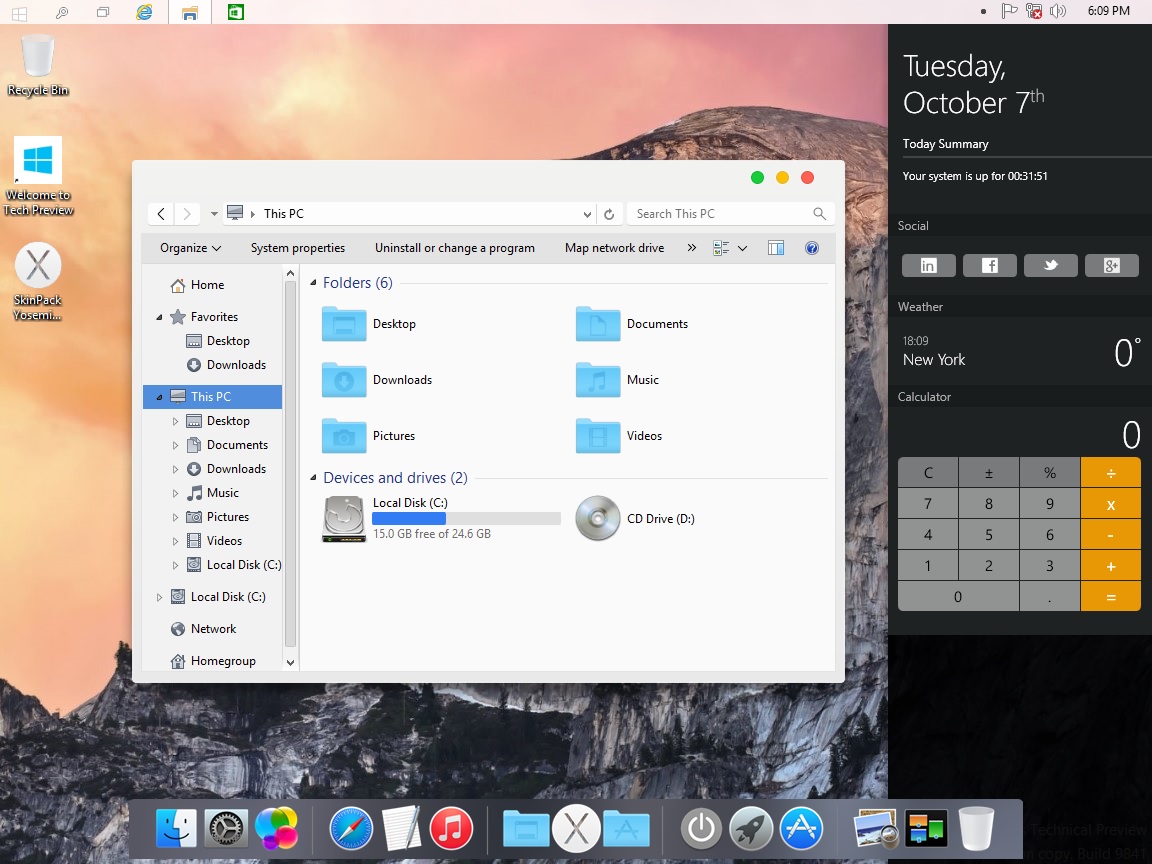
Transform Windows 10/7/8/8.1 to Mac OS X Yosemite
Support:
Windows 10/8/8.1/7/SP1 [X86_X64]
Changelog:
Version 2.0
–Added support Win10 TP
-Added oldnewexplorer
-Added yosemite sidebar
Ads
Share


I just installed this skin pack on my toshiba laptop running windows 10 now I have a white screen after log in.
Please help
is it support for windows 10?
my button of maximize and minimize dont change .. whats the problem ?? help me
Is there an easy way to go back to windows 10 theme? I want to go back.
will thins work for windows 10 as well and can I unstall thins if I wanted to cause I read that people are having a hard time to unstalling thins
hey, tell me pass?
taskbar isnt changing. What to do?
how do I unisntall this program because I can not play sims 4.
How do i uninstall? I see no uninstaller in the folder it downloaded to.
Go to uninstaller app and features then search for skinpack Yosemite…. and do the uninstall
Please hamed, add new skinpacks to windows 10!
please! i like all skin packs but my favorites is to win 7/8/8.1 please add someone skin pack to windows 10!
PS: i know to add new or old skin packs to new windows is hard!
I’m waiting dude!
I subscribed to the newsletter!
Hello, I installed this but decided to uninstall it. I think the uninstall for the icons glitched out, because my icons haven’t changed back.
you need to use refresh icon cache
Hi. I have sollution please intall windows 10them pack and unintall but select all remains icon and theme option. You will be get icon back.
hi, i just intalled this lovely skinpack but the dock isnt showing. what should i do?
http://rocketdock.com/
I love this pack very much but i didn’t like the title bar design and and the design of the bottons on , So there is any way to change them ?
no
nice skin, but some small issues (windows7):
– resize icons for lower right and left window corners are swapped,
– some colors in applications are changed (f.i. Total commander x64 8.51)
– firefox close/minimalize box (on the right) is not rendered well, shifted to the left by 2 or 3 pixels
we will fix it
is it supports for windows 8
yes
Hey, how can i change the the white taskbar color ?
we will release dark version soon