
Ads
Windows 11 screen shot:


Windows 10 screen shot:


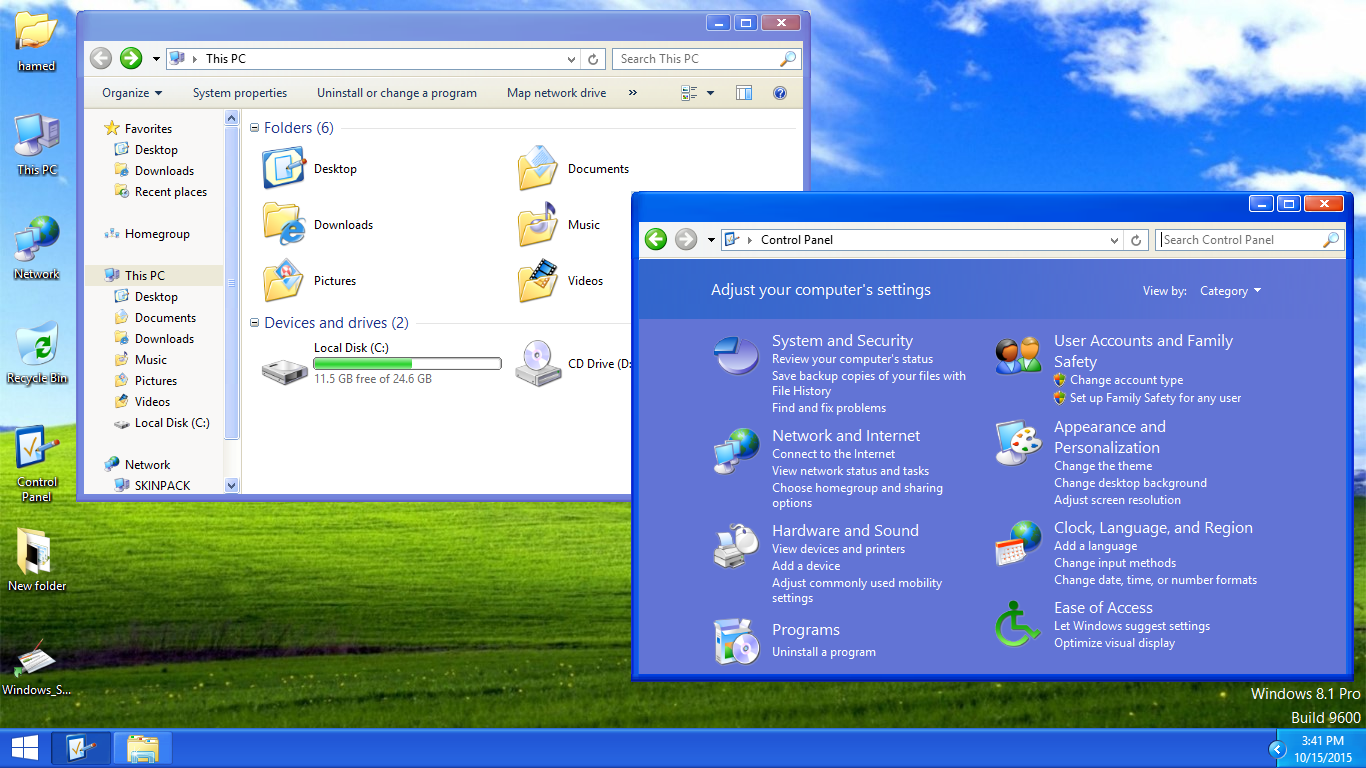
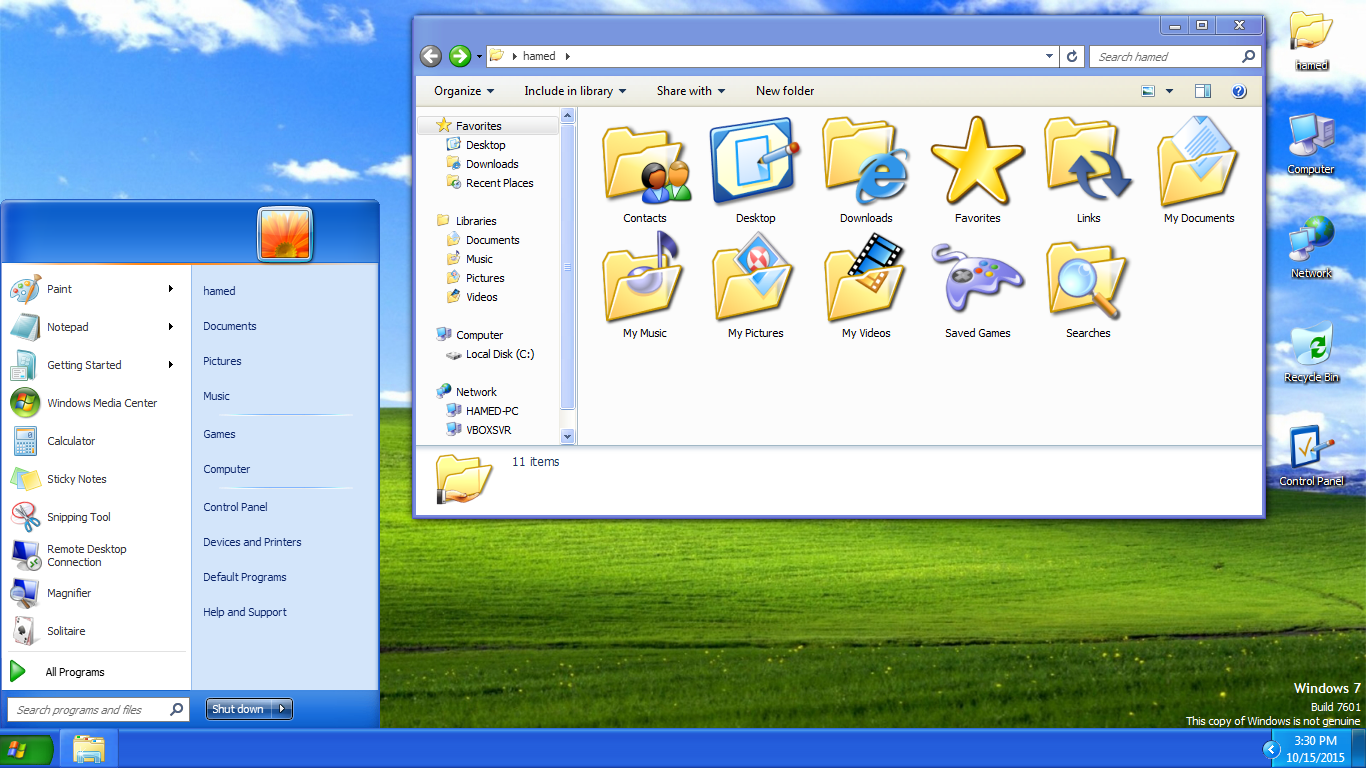
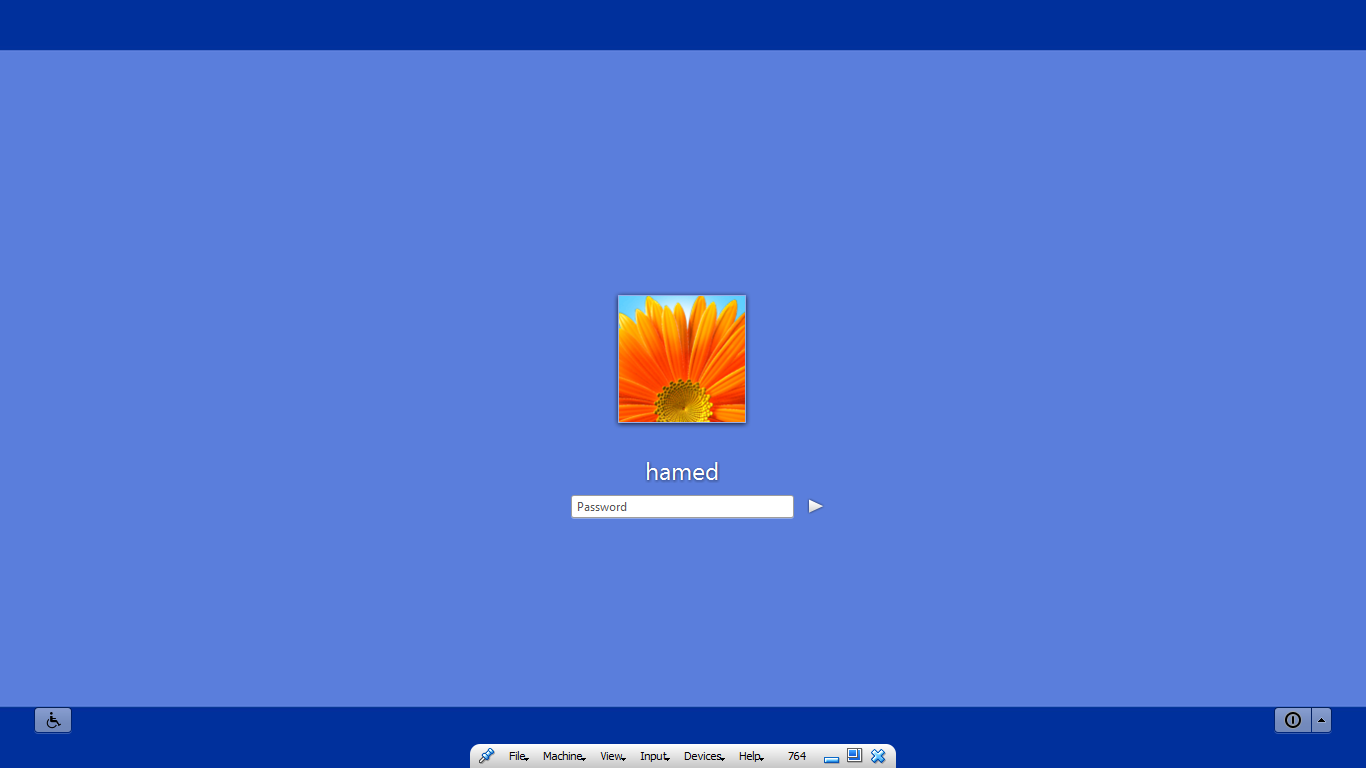
Transform Windows 11/10/8/8.1/7 to Windows XP
 Download from kofi for $4.99 for Windows 11
Download from kofi for $4.99 for windows 7/8/10
Download from gumroad for $4.99 for Windows 11
Download from gumroad for $4.99 for windows 7/8/10
 Windows XP SkinPack for WindowBlinds
 Windows SkinPack Collections
The Windows 11 theme’s themselves are experimental, much of the overall look and results will vary depending on each users dpi settings, Best work on 100% scale and layout size, you need to set it from display setting, Also for enable start menu and taskbar skin you need to install startisback from startisback.com
Password: skinpacks.com
Malware/virus warning? Read the FAQ.
Windows 7\8.1\10\11
Note: Please unistall old or other version of skin packs before install new one. if your theme not changed or its like classic windows you need to install uxtheme patcher from here and after restart select new theme from personalization.
Because skin packs will change file system (imageres.dll) to change icons so anti virus give warning, please disable temporary if you’re using anti virus. all theme have been fully tested, once purchase has been completed no refund will be available, however we will try to provide all possible technical assistants as required.
You’re advised to Create a System Restore Point before installing skinpack.If you have problem with install or uninstall skinpack, please check our help page.


[…] 1. Go to the official SkinPack website and download the Windows XP pack. […]
where is the free download button?
where
This pack somehow disables some system sound effects and I can’t change them to the way I want them to (for instance, the startup sound doesn’t even play, despite the function being enabled in the sound settings.) I don’t know what I can do to fix them, please help.
I wrote a comment, where did it go? How to get assistance?
Where is the Lite version? (free version)
Where else can I buy a free version for win xp skinpack
This was an excellent WinXP Skin i have had for a very long time.
Really beautiful, my Win7 didn’t didn’t react weirdly and the WinXP Skin performed beautifully up till now.
No bugs and useless shits.
But i really want to request u, can u make a Win2000 Skin compatible with Win 7,8,10,11 and now 12.
I’ll definitely buy it, and will support ur work. Really hoping to have that one.
windows 2000 same as windows 98:
https://skinpacks.com/download/windows-7/windows-98-skinpack/
Thank u for redirecting to that site. Will purchase soon.
Hello Skinpack, today i was cleaning my pc with some malware and i accidentally deleted some file. I thought they were virus. The problem is that now Win7 doesn’t change to WinXP anymore.
I tried installing and re-installing but it fails to load Winxp skin. Why is that.
Can u fix it.
Okay i figured it out. But anyways thank you for the XP theme
Support: Windows 11 23H2 ?
not yet
where the lite version free download?
wheres the lite version download button?
wheres the lite download button?
hey guys, how to make start button like in the posted image? there is no option on startisback menu
SUCH A GREEDY SKIN PACK SITE, why did you guys price the skin packs? i want to make my pc look like xp but those prices arent what i expected. why did you guys neither do that?
If do you think its easy why u dont program your own XP skin? So fool…
why u don’t kys?
DAMN
[…] visit download page […]
[…] Visit Download Page Share 0 Tweet Share Share Share […]
Does this work on version 1809 of Windows 10? If no, can you update it?
we will update it soon
It actually does work on version 1809!
some OS not support it
What do you mean?
OH WOW THIS IS BETTER THEN THE OTHER XP SKIN PACK
Does ux theme patcher works for build 14393.576?
Is this compatible with build 14393 RS1?
yes
Alright. At least this is not some kind of joke.
Also, does the setup install a patcher?
As so you know, the taskbar doesn’t change in Windows 10. You’ll have to use Classic Shell to skin the taskbar.
updata
http://sagorpirbd.deviantart.com/art/XP-Styles-Pack-for-Win10-587254466
http://www.hdwallpapers.in/windows_xp_bliss-wallpapers.html
[…] XP Theme and ICONS Combined: https://skinpacks.com/download/windows-7/xp-skin-pack/?_e_pi_=7%2CPAGE_ID10%2C4078464286 […]
Doesn’t work for Windows 10, the installer just sits there.
[…] Visit Download Page […]
[…] Windows XP Skin Pack | New! – Support Win7/8/8.1 […]
Faster and reliable
[…] Visit Download Page […]
Please update some more XP icons…
can you make one for windows 8.1? i really want that.
Hi really like this Skin Pack for windows 7 could you please make a version for Vista as well or tell me how i can get it to work on Windows Vista as well as i some time install vista on my Desktop PC
I have a problem on starting windows 7 the message “windows can not start a service” and will start bluescreen
you need to unistall bootscreen from safemode
where is the name ” start ” in the start menu ?
On Windows XP start button should say start
Please add this skin pack for Windows 10, im waiting
soon
dude, in the offline installer for windows 7 system 64X the browser say: the content is malicious!
its becuz skinpack modify system files like imageres.dll to change icons and AV dont like this
Thank you :)
[…] 2- XP Skin Pack داگرتنى بهرنامه […]
Does this include win8.1?
no
I loved the olive homestead colour. Call me picky but it was friendly and I preferred it over the blue version…
Any chance there might be an olive version skinpack one day?
soon
I hate the olive green color. I chose it on my former Windows XP PC (I use Windows 7 now),and I didn’t like it. I preferred the Luna theme.
Anyway, great skinpack , Hamed! It almost mimics XP itself.
The only issue I have is that the Royal theme start menu when you hover over your program list it turns white on white. Any chance for a fix? Thanks for this btw.
we will fix it soon
Hi Hamed, any eta on the fix for the issue I mentioned prior?
[…] Download Win8X64: Download Win8X86: DownloadFor Win7: Download […]
Xp skin pack is nice and good.Windows 7 with Xp skin pack is nice and beautiful and changed totally.You are good.
[…] For Win7: Download […]
Good skin pack :D
(sorry for bad english,i am spanish)
I am very pleased, I have got this pack :)
(Sorry for my bad English, but I’m Polish)