Ads
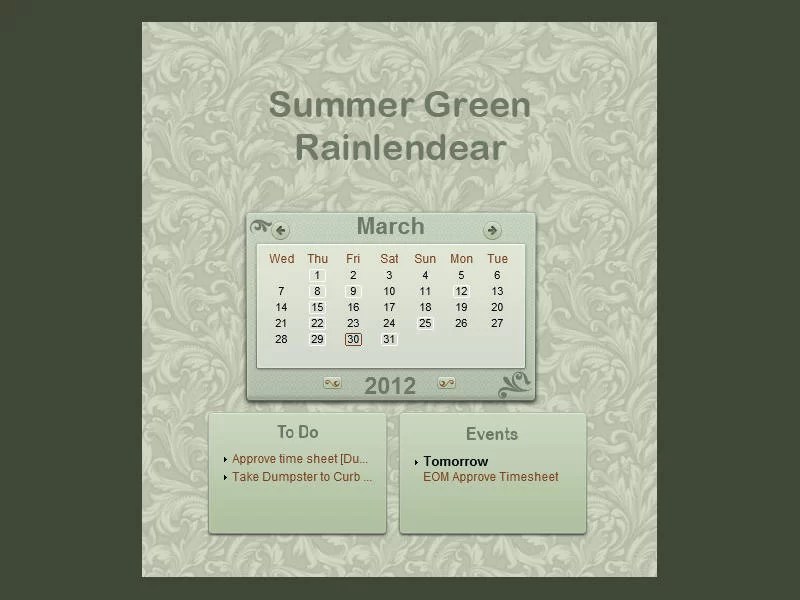
Add a useful calendar to your Windows desktop with the Monthly Calendar Rainmeter skin. This Rainmeter skin provides a monthly calendar-style desktop element, letting you keep a calendar visible as part of your desktop layout. View the preview and download the original .rmskin package below.
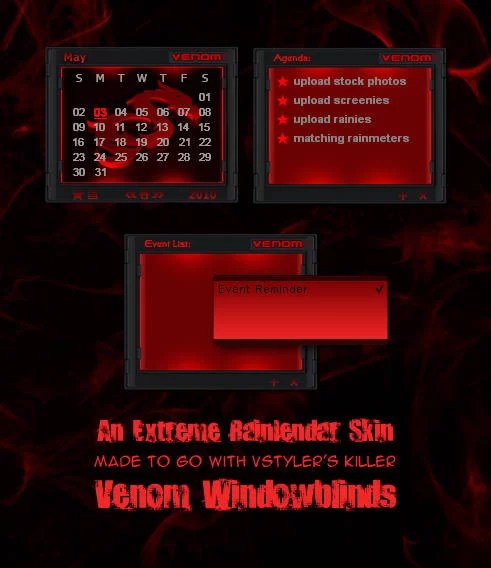
Monthly Calendar Rainmeter Skin Preview

Download Monthly Calendar for Rainmeter
Download the original Monthly Calendar .rmskin installer using the button below. Rainmeter is required to install and display this calendar skin.
How to Install the Monthly Calendar Skin
Recommended: Create a Windows System Restore point before making desktop customization changes.
- Install Rainmeter if it is not already installed on your PC.
- Download the Monthly Calendar
.rmskinfile from this page. - Double-click the downloaded file, or right-click it and select Install.
- Once installation is complete, open Rainmeter. If it was already running and the skin does not appear, restart or refresh Rainmeter.
- Open Rainmeter’s Manage window from its notification-area icon.
- Find the Monthly Calendar skin, select its
.inifile, and click Load to show it on your desktop.
If the download is ever provided as an unpacked folder instead of an .rmskin installer, place the complete folder in Documents\Rainmeter\Skins, refresh Rainmeter, and load the skin’s .ini file from Manage.
Frequently Asked Questions
What is Monthly Calendar for Rainmeter?
It is a Rainmeter skin that displays a monthly calendar-style element on your Windows desktop.
Do I need Rainmeter to use this calendar?
Yes. Rainmeter is the desktop customization application required to install and display this skin.
How do I show the calendar on my desktop?
After installing the package, open Rainmeter’s Manage window, select the Monthly Calendar skin’s .ini file, and click Load.
Where can I download the calendar skin?
Use the download button on this page to get the original .rmskin package.