
Ads
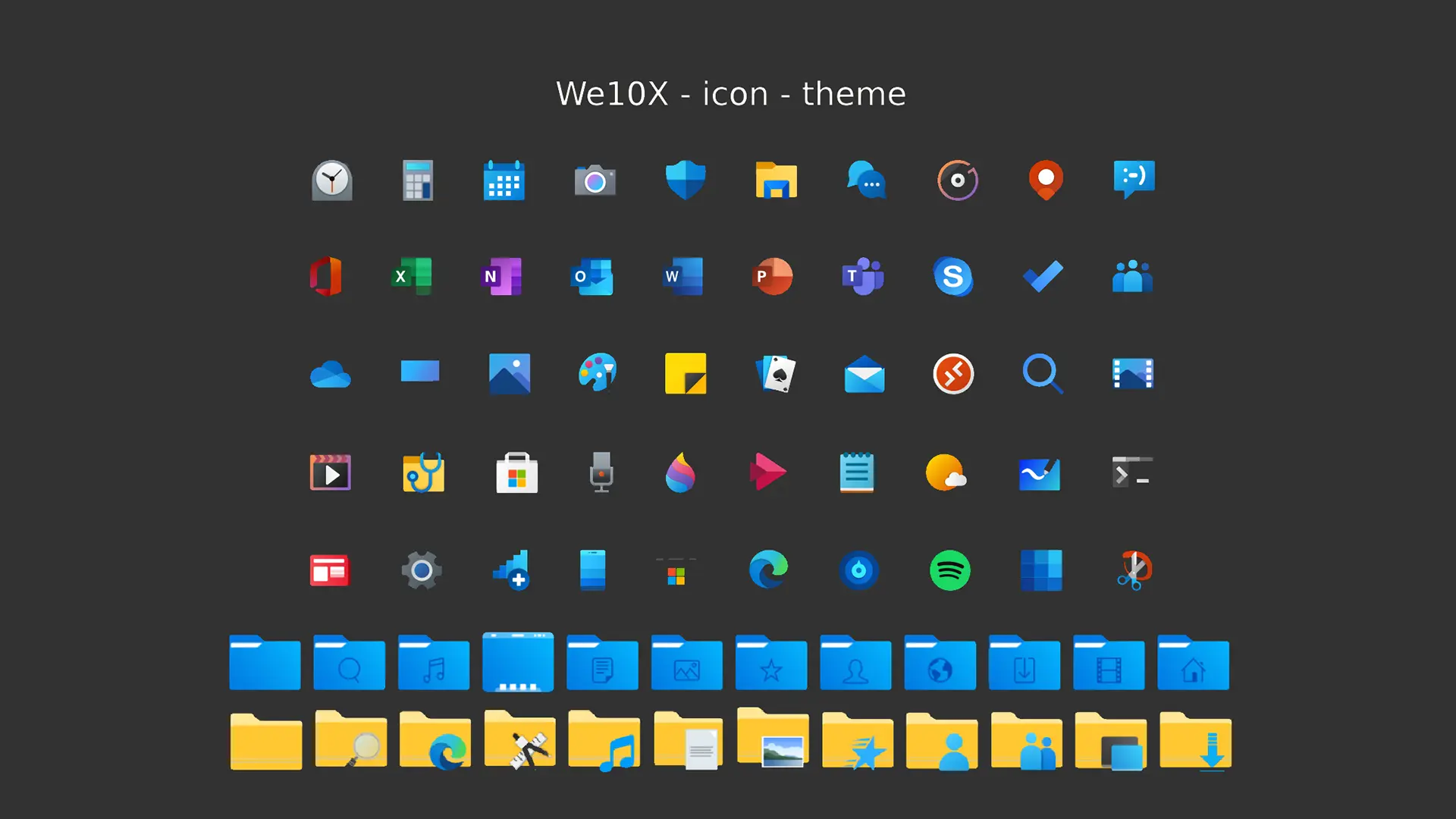
Do you want new style in your desktop? Here is the new IconPack for Windows 10 and Windows 11 users. This is realy awsome IconPack, enjoy it and have fun!
Operating System Support:
7TSP Compatible OS: Win10 2004/20H2/21H1/21H2/22H2/ and Win11
Note : First it is recommended you make a System Restore point before continuing.
How To Use:
1- Download and unpack archive using 7-zip;
2- In the 7tsp program, click on “Add a Custom Pack”. Select the downloaded set in Explorer (it must be in 7z format);
3- Click “Start Patching” to perform the installation.
4- Done! Now all that’s left is to reboot the system.
Ads
Share


AdConvert helps ecommerce teams turn URLs, product assets, and campaign angles into image ads, short-form video, and reusable launch systems.
This icon pack looks really cool and the instructions are clear. I’m definitely going to try it out to refresh my Windows 11 desktop.
i’ve been looking for a fresh icon pack to give my windows 11 desktop a new look, and this we10x icon theme seems like exactly what i needed. the instructions are pretty straightforward, though i do appreciate the reminder about creating a system restore point first – that’s always smart when customizing system files.
i’ve used a few different icon packs before, but i like that this one apparently works across multiple windows versions from 10 to 11. looking forward to trying this out over the weekend. does anyone know if these icons are high resolution and scale well on 4k monitors? that’s usually my main concern with icon packs.
also curious how this compares to other popular packs like the ones from iconpack store or rainmeter setups. has anyone tested both? would love to hear your thoughts if you’ve tried it already.
All of it is very much appreciated, and I have saved your site to check for new posts
Now that the piece is over, I can say with certainty that I like the subject