
Ads
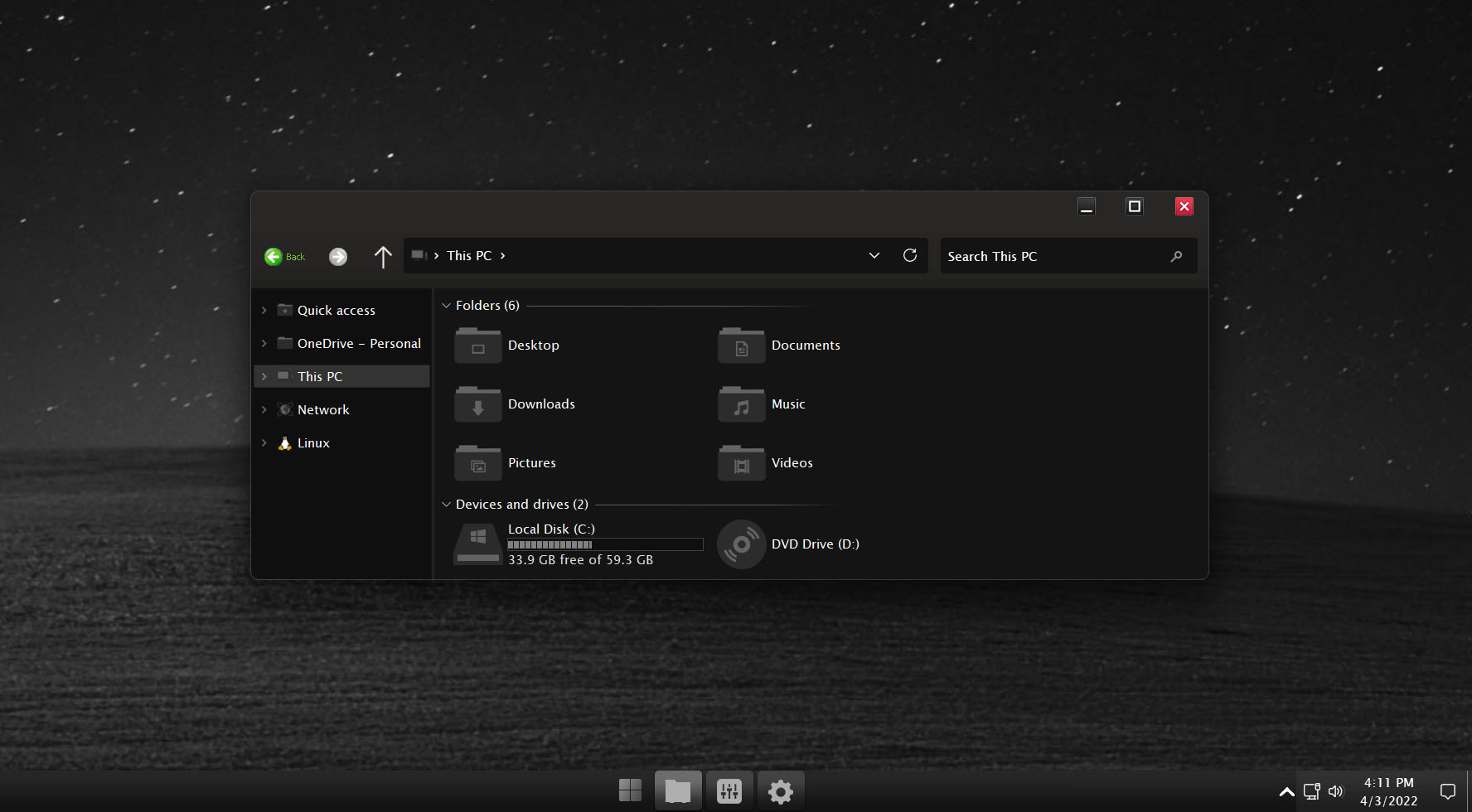
Do you want new style in your desktop? Here is the new theme for Windows 11 users. This is realy awsome theme, enjoy it and have fun!
Operating System Support:
Windows 11 : Build , (Not tested on older and new builds)
Note : First it is recommended you make a System Restore point before continuing.
How To Use:
1- to use this theme first you need to install UXTheme Patcher
2- Copy theme files to C:\Windows\Resources\Themes
3- Open Settings > Personalization > Themes > Select the theme.
4- Install OldNewExplorer to remove the ribbon.
5- Install For Windows 11 we recommend using StartAllBack.
Ads
Share


Thanks for sharing this Windows 11 theme! I love customizing my desktop setup – reminds me of how I spend hours perfecting custom levels in Geometry Dash, tweaking every visual detail until it looks just right. The attention to aesthetic details really makes a difference in user experience. Appreciate you including the system restore reminder too, admin – that’s thoughtful guidance for safer customization!
This is a good choice if you want to play a fun game that can also help you boost your speed and teamwork
I’d like people to know how good the information in your text is. The material is interesting
I value this great post you’ve written for us. I can promise you that this would help most people
Reading both your article and the other one has made me extremely happy since it allows me to increase my knowledge.
I am very happy to read your article and another article, it really helps me expand my knowledge.
Your point of view is as clear as a blind spot on an awning. It’s a lot to take in. I want to see what you write next
WindowBlinds 11 is the most user-friendly way to customize your desktop. You can stylize every skin to your own specifications with thousands of skins to pick from and a rich set of customization tools.
Despite all the bugs and problems they have… I ‘ve been using retro bar and open shell to make Windows 11 look like XP…