
Ads
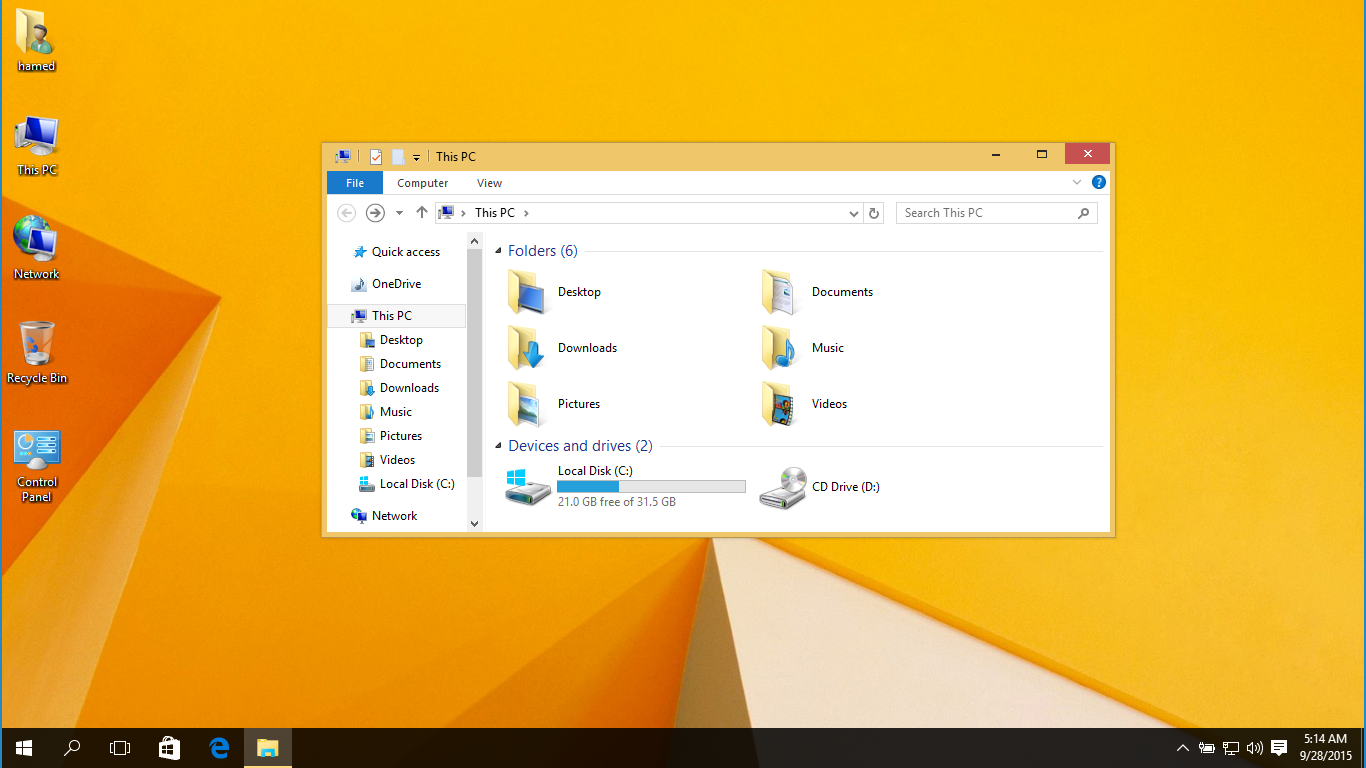
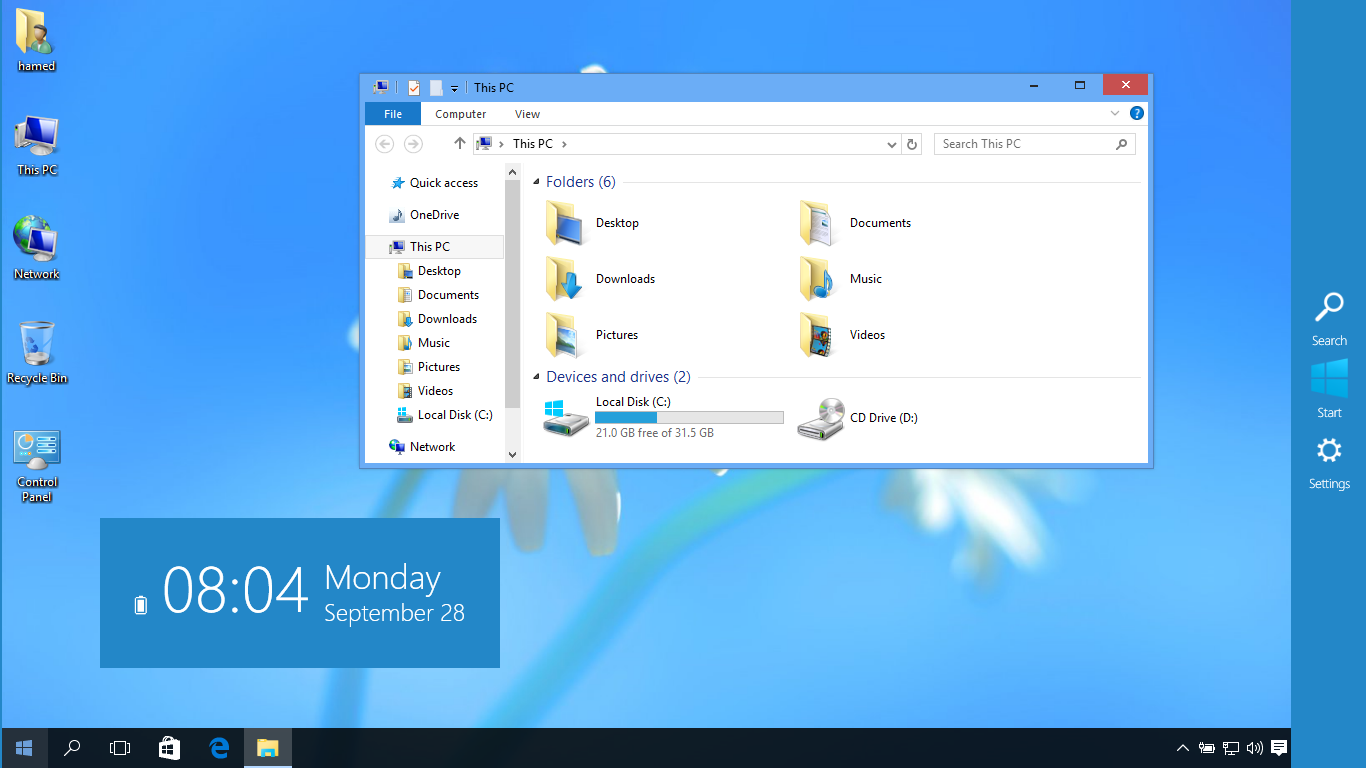
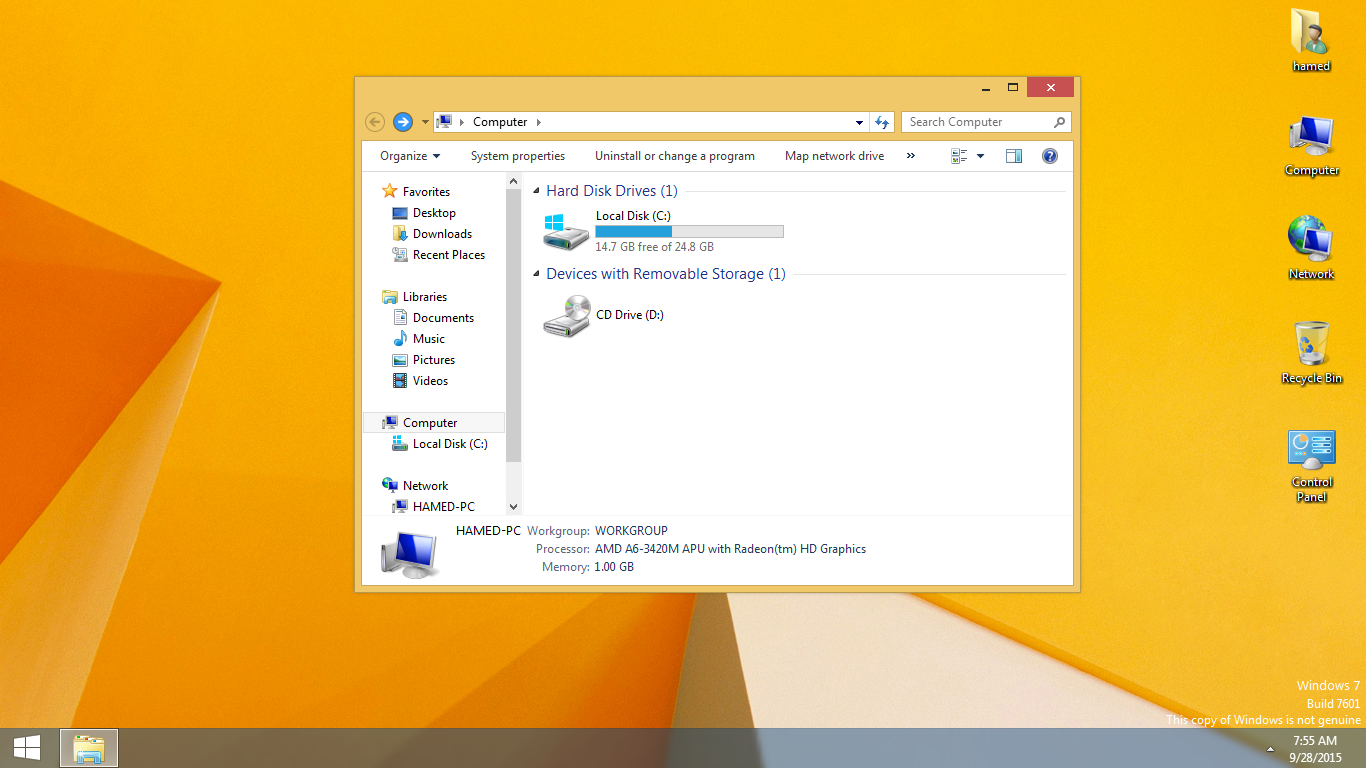
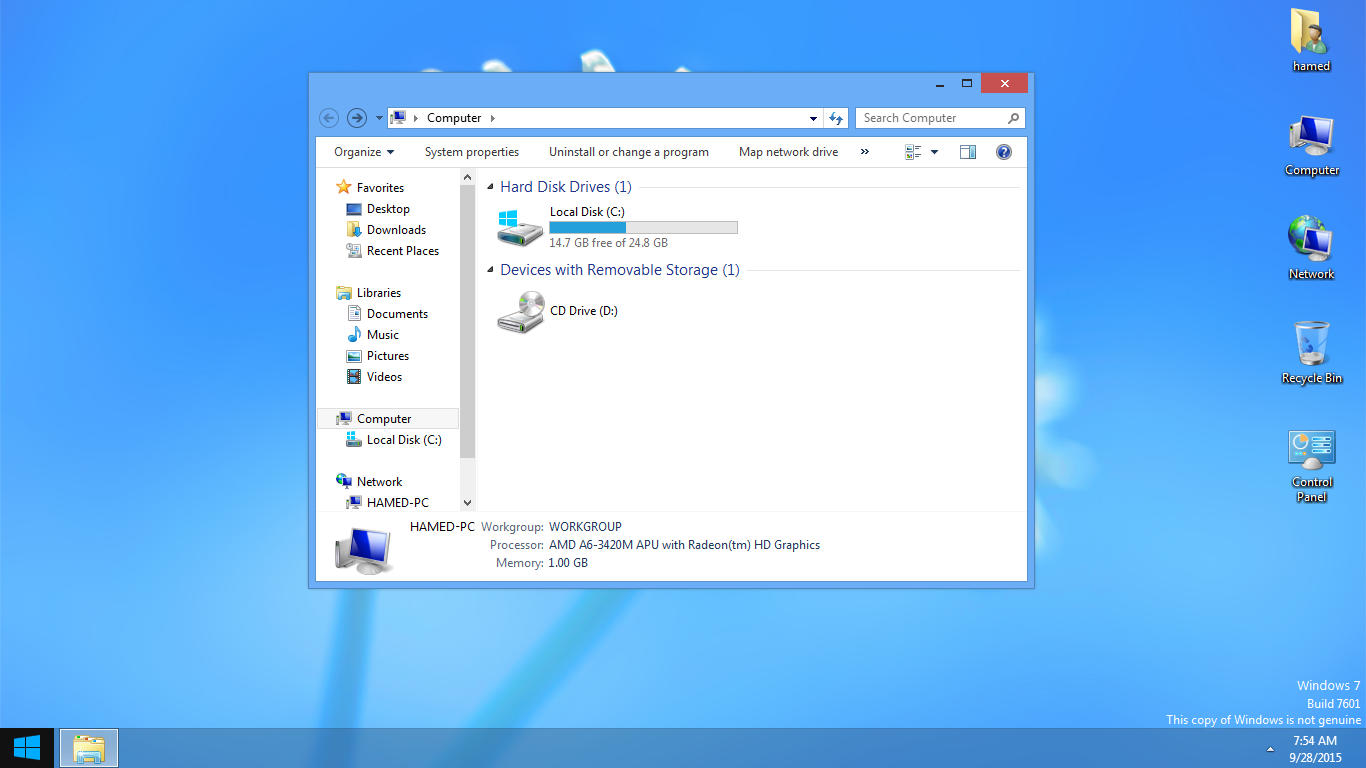

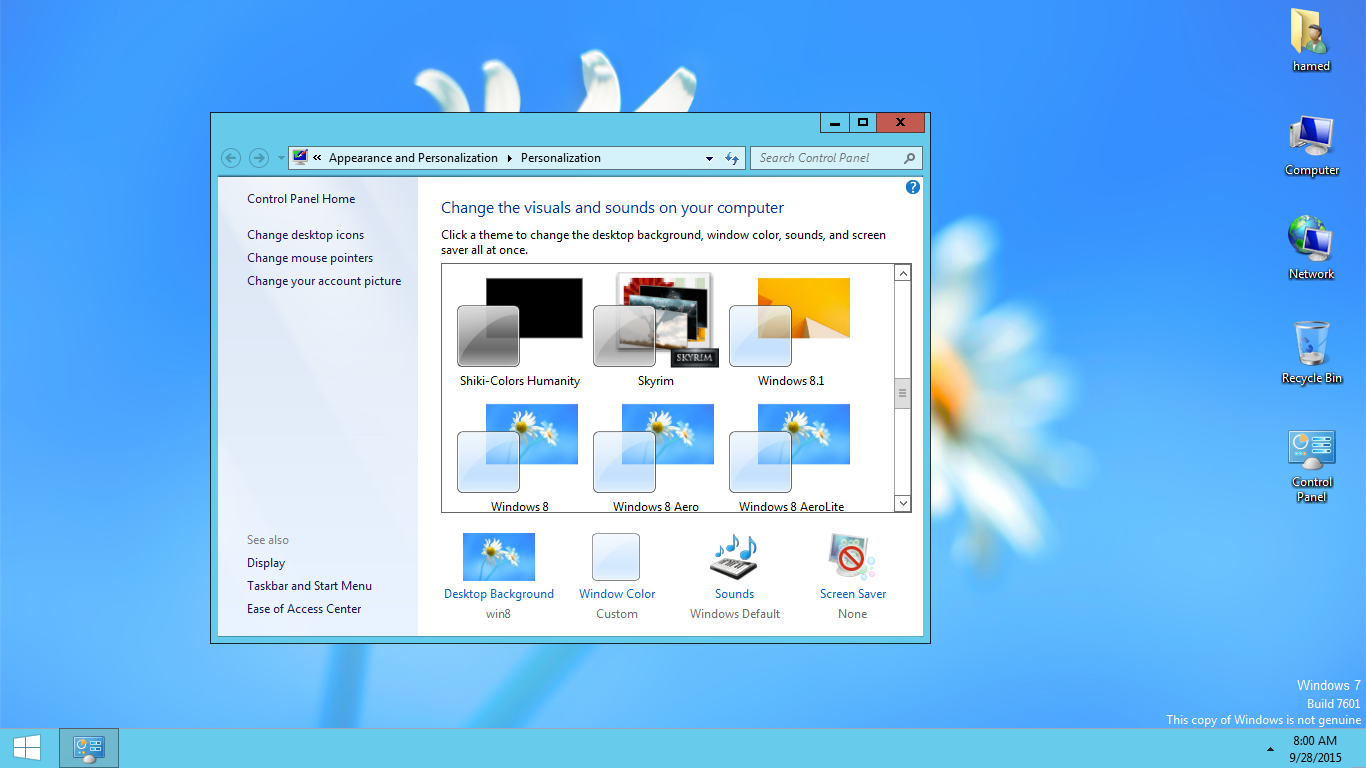
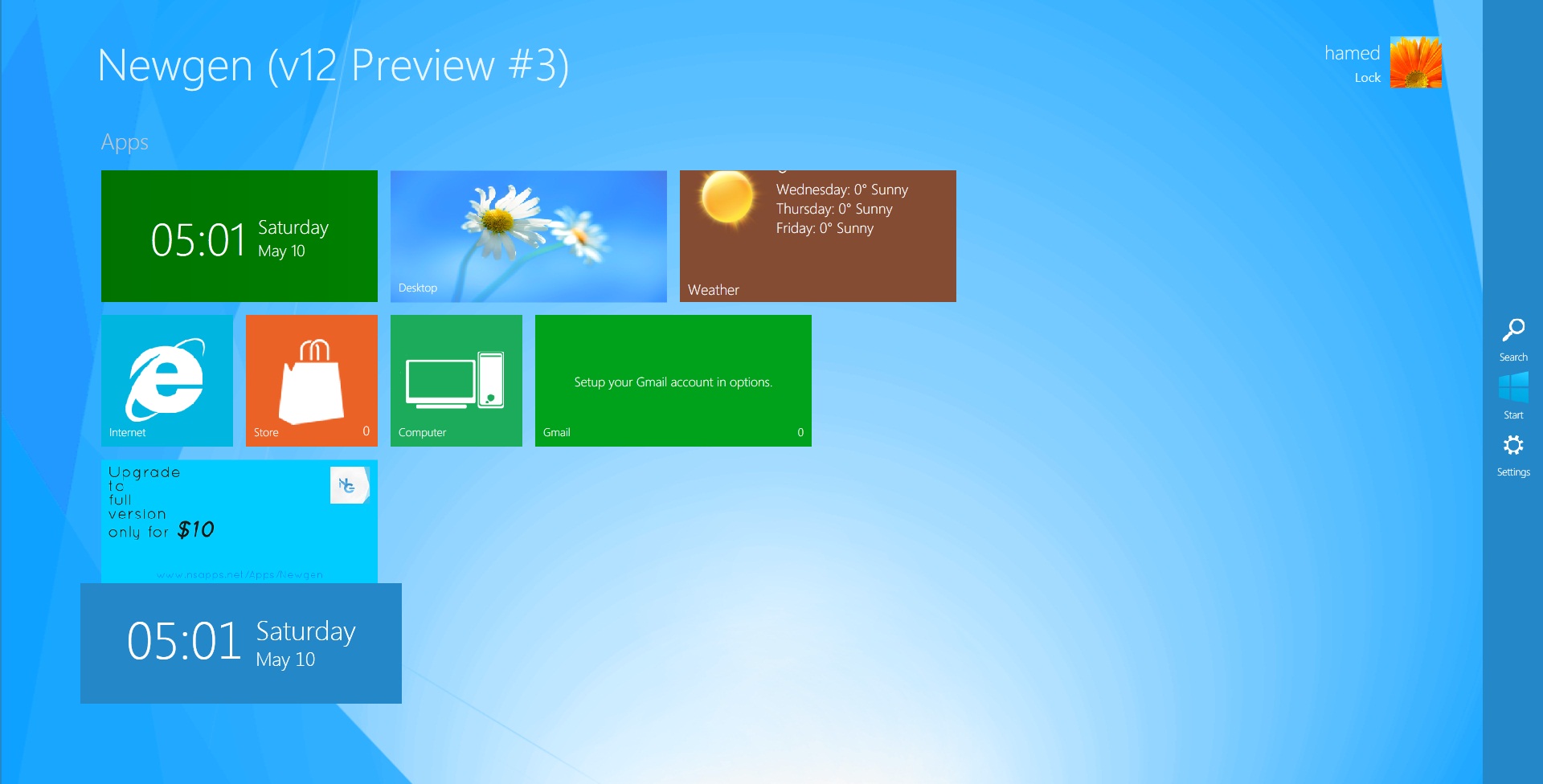
Transform Windows 7/10 to Windows 8/8.1
 Download with icons and extras
The Windows 11 theme’s themselves are experimental, much of the overall look and results will vary depending on each users dpi settings, Best work on 100% scale and layout size, you need to set it from display setting, Also for enable start menu and taskbar skin you need to install startisback from startisback.com
Password: skinpacks.com
Malware/virus warning? Read the FAQ.
Windows 7\10 21H1 [X86_X64]
Note: Please unistall old or other version of skin packs before install new one. if your theme not changed or its like classic windows you need to install uxtheme patcher from here and after restart select new theme from personalization.
Because skin packs will change file system (imageres.dll) to change icons so maybe Windows show warning, if you’re have any problem with installer then just use portable version. all theme have been fully tested, once purchase has been completed no refund will be available, however we will try to provide all possible technical assistants as required.
You’re advised to Create a System Restore Point before installing skinpack.If you have problem with install or uninstall skinpack, please check our help page.


A very good way to find the Windows 8 style on another Windows system with its icons and wallpapers.
[…] Windows 8.1 SkinPack Win7/10 […]
Will it work with Windows 11? I have a PC with Windows 11 installed
[…] للنظام. ( قم بتنزيل حزمة نظام التشغيل Windows XP – قم بتنزيل حزمة Windows 7 […]
Upgrade to full version for only 10dollar?… I paid for the premium skinpack… how could this be a thing?
Please let me know how to fix this.. Win10 is horrible.. only for the directx12…
what is your problem?
I have to pay a extra 10dollar, to get the full version. Newgen
i am poor :(
i cannot get skinpacks :(
i cannot install disc installer images (ISO’S)
I downloaded the installer of the theme, I put the password, I extracted the installer of the theme and my antivirus deleted it
how can i change the color of title bar
[…] Win7/8/8.1/10 Wave Skin Pack | For Win7 Windows 7 Skin Pack | For Win8/8.1/10 Windows 8.1 Skin Pack | For Win7/10 Windows 10 Skin Pack | For Win7/8/8.1 Windows Longhorn […]
Hi, make a payment to download a windows 8.1 theme but the page indicated an error message on the card, but 5 days later check the status of my card and charged me $ 12.21, for a topic I did not even receive, so I thank you for solving this inconvenience. And verify the payment page because it has errors.
imitation love cartier bracelets
I’ve learn a few excellent stuff here. Certainly price bookmarking for revisiting. I wonder how much effort you put to make any such great informative web site.|
Hi, ‘m with a windows 8.1 theme, the taskbar stays the color I wanted the most, the rest turns everything yellow. How can I fix it?
I miss the old days… without payment without ads just free downloads… (sigh) now I can’t you use these anymore….. “Sad” for just a poor and a NEET guy like me.
Very nice
when i click on start the windows7 theme only appear
when I try to install it says error
they are writing to find something
Which are the ads showed in my system? that’s very invasive let me tell you, you should do the free version less complete with some lack of characteristics that the paid version has, just my opinion
i’m considering in NOT installing this ’cause “those ads”.
It's not free anymore?
https://my.skinpacks.com/download-windows-8-1-skinpack/
lol
I realy like your post with boost of information, But I have a windows 8.1 professional product key, Purchased from: http//cheaproduct.com
I just installed windows 8.1 professional at my laptop, But not know how to activate using the activation key code.
Can I upgrade it to Windows 10 to get more features. Thanks in advance
first of all you try to active your windows 8.1 with your purchased key. its very easy method to active your windows just right click on My Computer then select properties on very first dialogue box blow you see active your windows just click and put there your activation code. second thing if your want to update your windows you just have to complete this task, use the keyboard shortcut Windows Key+X or right-click the start button and select Control Panel from the power user menu – which is also available in Windows 10 (it’s called the Quick Access menu in 10). Scroll down to the bottom of Control Panel and select Windows Update. But Maneeha i suggest you to get active windows 8.1 :) further information or help just whatsapp me +17277287900. Rana ali.
this is very awesome skin pack
what is the password for encrypted file
skinpacks.com
what is password for encrypted file?
skinpack.com
skinpacks.com
issssssssssss thissssssssssssssssss veryyyyyyyyyyyyyyyyyyyy gooooooooooooooooooooooooooooooooooooooooooooodddddddddddddddddddd
how to restore into my default windows 7 theme?
dont know bro
go to control panel and select uninstall app then find skinpack windows8 then click uninstall
viola!!
boot into safe mode,and Delete it.
Open my computer, go to uninstall or change option at the top, after that check for the skin pack you installed….and double click on it….fill the required things and click okk….and its done..
how to restore the local disk partition d
what is the passwords for encrypted files?????
skinpacks.com
what is the password for encrypted file ?
the pasworld is skinpacks.com
skinpacks.com
[…] Visit Download Page […]
thanc you amazins
But my taskbar is not changing to win8.1’s its changing to win 7 basic
Hello I cant change color from orange no matter what i do pls help :(
Thanks You man Works !!! :)
Thanks you very much man !
Your windows 8.1 skin pack can not access
another skin pack is very good. Thanks a lot
Thanks Youuu !!! It’s Veryy Goood !
is this goning to harm my computer
If you’re not sure if there is a virus or not just scan it with your anti-virus good luck!
very slow
Yep it may be slow for those who have poor pc specs(bottleneck) make sure you have a good graphics card to match those requirements!
can you play android games like the default
Yes of course you can play any games but if you have poor graphics card it may slow your pc so think about it!
thank you for provide this file yeee
Why does the taskbar have classic theme?????
It does not look like Windows 8 at all!
how to convert .ex_ to .exe file please help me
just right click and rename
You open properties of the program, change .ex_ to .exe
Just Rename .ex_ to .exe then confirm
Store is incorporated in the pack?
Hello.. how can i change the explorer window frame color. No its Orange for me. I have tried changing it in from the personlization section (on right click of desktop). The Task bar color is changing, but not the explore window frame. And also can i add a transparent effect for the same.
it says file incomplete after download and wont open in zip file why is it doing that?
Please can someone help me??
I installed the skin pack but during install my antivirus removed the uninstall.exe and now I cannot unninstall the skinpack.
Where can I find only the uninstall.exe file for this.
i have uninstalled the skin but the icons are still same. please help me
how to restore my original windows 7 theme?
I has windows 8.1 themes but how to change wallpaper.Please tell
IT IS NICE! THANK YOU SP
it just hang half way while installing the App
my start is not coming like windows 8.1. it is same as win. 7.
please tell how to change it.
very nice
theme can work in windows xp
https://skinpacks.com/download/windows-xp/
it doesn’t work.
setup not installed?
Why’s the theme so orange? (more specifically on the Windows Explore tabs and the background) how do I change it to blue or can you make the next Windows 8 theme so we can?
It says it can’t find the application. Why? I’ve downloaded it 3 times.
ITS NICE
Hello.
Please can you explain me if I can add icons (shortcuts) into this box whichs appears on right side (newgen, I think its name). I have just few shortcuts eg. desktop, my computer, date&time …
Thanks for this app. I am very happy becouse my win7 can looks like win8.
Greeting from Bosnia.
Kewl :3
can I go back to my old skin
can i install window 8.1 in windows 8 pro
Hi.. Can you ask my question pls?
Are this dangerous for the computer?
Are this have a virus?
Are this may install in Windows 7 32-Bit?
I just wanna asking ok , thank you.
thank you very very very much! the best theme on internet who work!
thank youuuuuuuuuuuuuuuuuuu!
Hi Im going in to change the collor bar in controllpanel but the only thing that hapens is it changes the cooler wher i have my stuff like skype and browsers
how i can change the colour of logon screen and of the visual style?? plz fast answer
can i have the activation key?
when i try to change the settings. it was asking activation key.. can i have it?
please send the activation key
Hello The Windows Aero Well Not Changed After Installation Why?
How do you change window glass color with this?
on Personalization
(I changed my name from Sims Lover to Girly Gamer BTW) but,
When I change the color it chnages the taskbar color but now the window color :(
Is it suppose to do that?
why the basic theme is comeing down :(
aero peek :(
What is its size?
34MB
i want to comment and all i can do is reply HALP ME PLZ
Bro its asking for password
When i want to change theme from Personalization displayed this error
http://prikachi.com/images/856/7763856Q.jpg
you need to install uxtheme patcher
Where can i find the theme resource changer and how will the one in the right how will it show up? Plss Help ty
from http://virtualcustoms.net/
Why i can’t download it, it says “the webpage is not available
https://dl.skinpacks.com/skinpack/download/SkinPack_Win8.1_V2.0.zip
It’s still happening..
fixed
no, it is not fixed
fixed
my browser also could not find the server
fixed
It says that the web page isn’t available
fixed
why did windows 10 blocked by my pc antivirus?
it will modify system files to change icons and AV dont permission to do that so you need to disable AV
I didn’t add more apps in newgen how i can add more apps in newgen
you need to buy it
try with different browsers
How can I remove the charms bar?
answer please!
unistall newgen
when i download ur themes it tells me file location not found
https://dl.skinpacks.com/skinpack/download/SkinPack_Win8.1_V2.0.zip
hi!!how can i dpwnload the ribbon ui?i downloaded the skin pack win 8.1v2.0..can you help me?thanks
thx work 1000000%
my start button is not changing
you need to install theme resource changer
Where can i find it?
from http://virtualcustoms.net/
no it is a joke…
how to change windows 8.1 skin pack color in xp virsion
from visual style option
Where I find it ?
from desktop propertios
i fownd green and yellow , but when i watch videos on youtube windows 8.1 and black or purble colour ??
can i install this windows 8.1 skin in windows 8 pro
no
how to patche uxtheme its showing a windows classic.
https://uxthemepatcher.com/
could not install, it is asking for 23 framework
yes you need to install last version of .netframework
cant we put for 32 bit??
yes
when I download xp version .. i see this message
http://www.gulfup.com/?VYvdaV
Fixed thanks for report
Pls i want to install Windows 8.1 skinpack,
After luching the exe file, it asking “check the components you want to install and uncheck the components you don’t want”
*Restor Point
*UxStyle
*Icons
*Themes
*Newgen
This are the five items
My Question is if i uncheck “*Newgen” will it have any effect , if yes what is the effect ?
no its ok
Hi Admin can you give me the download link SkinPack Win8.1 V1.0 (Old Version) i really like this version 1.0. Please, help me. thanks
its have blue theme also you can choice it from Personalization
how do i open it plz help . i.,skinpack alien green … winrar douse not open it
you need to disable av
Pls i want to install Windows 8.1 skinpack,
After luching the exe file, it asking “check the components you want to install and uncheck the components you don’t want”
*Restor Point
*UxStyle
*Icons
*Themes
*Newgen
This are the five items
My Question is if i uncheck “*Newgen” will it have any effect , if yes what is the effect ?
And can i still install windows 8.1 skinpack while i uncheck “*Newgen”?
Without “*Newgen” will others work perfectly ?
yes its ok
NOW DIS A WINDOWS7 G,G
It gives me most things, i get the windows classic theme instead of 8.1. help?
you need to patche uxtheme first
or use universal theme patcher
Cannot installed . it shows error when i want to click accept to install
can you show error message?
i downloaded skin for windows 8 i have 7 ultimate and giv me error (aplication is not found) could you help me ? :)
you need to disable AV
plz make the ammazing theame to window 7
plzz give me windows 8 theme
https://dl.skinpacks.com/skinpack/download/SkinPack_Win8.1_V2.0.zip
I install this software to my computer, but once the process is complete to install it, my computer desktop turns black and only show the cursor. How to fix it as before?
just restart your os
it harm the system and we can uninstall it
its not work .. i have 7 homebasic
you need to patch aero first
سلام میشه کامل تر کنین مرسی
! C:\Users\Asus\Desktop\SkinPack_AlienBreed_1.0.zip: The archive is either in unknown format or damaged
try to download with flashget and unzip with 7zip
tq
please teach me how to make a theme / skin pack ?
https://skinpacks.com/creator/
so this skin pack change windows7 into windows8?? right
yes
hey before I install this can I just ask if there’s any way to disable the log on screen change? whenever a one of your themes changes it I always just get a black screen with a white mouse whenever I boot up, I cant do anything so I have to use system restore upon start up, if you know a fix to my problem please reply I’m using windows 7, service pack 1, 64-bit
its not problem with logon screen, first you need to install uxtheme patcher and reset os then install skinpack
OK thanks so much!
Is This Compatible for Windows 7 starter it works very well or not??
yes
Why is the installer uploaded in the article packaged with Search Protect and Trovi Search, which is a known internet hijacker/malware?
just skip adware
unlockaero is not working on my computer.
download and install last version from http://www.winaero.com
i think do not better because all skin packs not present in this sit so plz send all skin pack in the this site so this sit is better
Plz help me
***Cannot execute “C:\Users\XYZ\AppData\Local\Temp\Rar$EXa0.991\SkinPack Win8.1 V2.0.exe”***
open it with 7zip
ya never use winrar use 7zip
not download
say that download is not available
https://dl.skinpacks.com/skinpack/download/SkinPack_Win8.1_V2.0.zip
how much ram in use to this theme ?
its work with 512mb ram
Developer please, can you give me the link to download Yellow SkinPack for Win7/8 old version. I need it please give me the link. Thanks
https://dl.skinpacks.com/skinpack/download/SkinPack_Win8.1_V2.0.zip
I want to show you my screen shoot about some problems but i don’t know how to add screen shoot in the command.
Can someone help me, I put this theme on my moms computer, (the one I’m using). yeah i but i didn’t do it right and now i can open up control panel to change the theme. so please if you can help me change the theme back to the normal windows 7 then please help
https://skinpacks.com/help-faq/
recovery your computer …………
my pc shows error messages like
“error opening file for writing
c:\SkinPack\RP.exe”
your system restore is off
Funtion key should work as normal…How shall I change to defaults only for function key and ctrl button…for the IOS theme….
Thanks
set key on xwidget and xluanchpad
Hi Hamed I have a little problem here, I had installed the skinpack correctly and then because I thought that there was something that did not work, I have reinstalled. So when I was uninstalling, I also deleted the backup files and the uninstaller. And now I have an issue, when I apply the theme to windows 8.1, the system loads the correct yellow wallpaper but for the theme, it loads to windows 98. How can I fix?
you need to install ultra uxtheme patcher
Do you mean this? http://uxstyle.com/
Or what?
https://uxthemepatcher.com/
It works! Thank you.
my pc ask for the activation code for newgen.
you need to buy it
Its Easy. Go To Personalize Then Change The Theme To Windows 7.
That Ever Happened To Me
how i can uninstall it
https://skinpacks.com/help-faq/how-to-uninstall-skinpack/
go to control panel -> programs and features -> find the aap and the click change -> and click on uninstall…. :P)
Can It run in Windows 7 32-bit ?
yes
Hey, I have a problem. My anti-virus detectes the installation file as a trojan.
What’s the reason? Because I don’t want to disable it.
If I have to then I will but may I know what causes it?
becuz its modify system files like imageres.dll to change icons
Ok, thanks
I have another problem with the file:
http://i.gyazo.com/dd297813d715320d5653dff321df20d8.png
Any way to solve it?
try other server
i cant open newgen, it name is newgen.exe.config i change name it is newgen.exe but still can’t open
HELP ME!!
P/S: Srr by my bad english
will this work on 32 bit windows 7 home premium?
And sepron processor??
yes
I don’t find the start screen and the toolbar on the right of my desktop screen , can you help me ?
you need to run newgen from c:\skinpack
can i cange the Name in the top-left of newgen???
if you buy it, yes
no work windows 7 64 bit
whats the problem?
plz help me newgen is not working u r saying open from c/:skinpack/newgen but it is not working again and again saying windows cannot find newgen i think newgen is fake plz help and give real newgen download side
you can download it here: http://www.nsapps.net/Apps/Newgen
we need it for windows vista
we not support vista
Hello i download jelly bean skin pack and i uninstall it but the screen boot don’t change to normal it stay on andriod
please i need help
https://skinpacks.com/help-faq/how-to-uninstall-skinpack/
THANK YOU
win 8.1 not work :'(
its for 7 not 8
Please MAKE one For Windows XP SP 2!!!!!!
we dont support win xp anymore its die
Hello Can I change back to normal windows 7 look again after installing this transformation pack?
yes sure
Can I change the top to Black or something
yes from here: Control Panel\All Control Panel Items\Personalization
Is it possible to change the color from orange to blue or something?
yes from here: Control Panel\All Control Panel Items\Personalization
No, I mean like the top part of the application, like: http://puu.sh/ajTPO/30b8fba886.png
Orange to blue.
you just need to select win8 theme
Oh, thanks.
the theme support to win xp sp3
no
I installed windows 8.1 skin pack and rebooted my system. It worked at its best. But when I changed the theme to windows 7 default, and after some time again Windows 8.1, the theme now displays the taskbar of the basic style instead of windows 8.1. Please help, I don’t like that and I want win 8.1 theme to work .
just install pack again
where i can get active key for windows 8.1
from newgen webiste
I installed it and looked great but when I reboot my PC it stopped to work and says “windows cannot find “newgen.exe”. make sure you typed the name correctly and then try again.” so I had to uninstall it and then the PC didn’t start and I ran it in safe mode and now I don’t even have the Win7 default theme.
HELP PLEASE!!!
Don’t know what to do!
https://skinpacks.com/help-faq/
please help, i can’t open newgen. the warning is:
windows cannot find “newgen.exe”. make sure you typed the name correctly and then try again.
i already instaled the lastest .NET FRAMEWORK 4.5.2
help me ><
run it from c:\skinpack\newgen
where do I get the new gene?? please help me out
from c:\skinpack\newgen
start menu is like windows7 only
run newgen
when i run newgen it says windows cannot find newgen.exe
run it from c:\skinpack\newgen
maybe u dont have aero
How to 2 install dis pack.. i dnt hv idea abt dis .. help me
https://skinpacks.com/download/SkinPack_Win8.1_V2.0.zip
how to uninstall it
https://skinpacks.com/help-faq/
how do u get the right bar up
in right top corner
how do i edit and add app on newgen ?
first you need to buy it
@Hamed, How can i change the Orb? Its pixelated and if i change it with orb changer, it gets back to the theme’s orb after a few seconds.
from c:\windows\resource\theme\aerolite\explorer.exe
When i Tried To Install It Dont Pop Up Im On Windows 7 Please Help
you need to connect to internet
Is it harmful to system
no
no its accutally amazing i have it :)
[…] […]
How can i change the Orb? Its pixelated and if i change it with orb changer, it gets back to the theme’s orb after a few seconds.
from c:\windows\resource\theme\aerolite\explorer.exe
Newgen is trial version, i thought it’s free! what is serial?
you need to buy it
my sis have downloaded the mac skinpack and then her computer was just with a black screen what do i do?
fixed
work on windows 7 bit 32?
yes
[…] يمكنك تحويل شكل ويندوز 7 او ويندوز اكس بي لديك الي شكل ويندوز 8.1 الجديد بشكل رائع. ولكن قم اولاً بانشاء نقطة استعادة نظام. ( تحميل الحزمة لويندوز XP – تحميل الحزمة لويندوز 7 ) […]
[…] يمكنك تحويل شكل ويندوز 7 او ويندوز اكس بي لديك الي شكل ويندوز 8.1 الجديد بشكل رائع. ولكن قم اولاً بانشاء نقطة استعادة نظام. ( تحميل الحزمة لويندوز XP – تحميل الحزمة لويندوز 7 ) […]
I gotta try this one. Thanks for this! You’re always amazing!
it’s works thank you.. :D
work in windows xp?
we dont support win xp anymore
[…] Visit Download Page […]
Have you been to delete the links? Because I can not open it, a message appears to have been deletions 404
There is a problem, there is only the blue theme of Windows 8, it doesn’t support other colors, i don’t like that because it can’t be personalized.
first select aero theme and then you can change color
when i install it it just changes the theme to windows 2000
you need to install uxstyle from uxstyle.com
In newgen store.when a widget download completes.It says installed,but when I go to add this widget,there is not that widget that I have downloaded,it watches only the pre-installed apps only.Can you fix it ?
you need to buy it
Newgen is not full. :(
you need to buy it
please help me, plese serial number newgen v12 :(, ppplllleeeeaaassseeee!!!!
you need to buy it
Can i disable the Metro UI?
yes just dont install newgen
black version pleaz!
sure
please mirrors download offline die :(
fixed
I would not know where to download the site first yiyeoseo we?
https://skinpacks.com/download/SkinPack_Win8.1_V2.0.zip
sack the windows 8 as to have only 7?
yes
i want to remove apple logo booting. after powerfull uninstal of apple skin i used window 7 but in booting process its not show microsoft rather it shows apple logo n i want to change it into microsoft logo but how ?????
https://skinpacks.com/help-faq/
not better then older skin pack
Plz tell me how can I remove this skin and have my original win7 skin back..
https://skinpacks.com/help-faq/
how can i delete the boot animation but the theme no
just unistall bootscreen
Go to control panel and uninstall skin and UXTtheme
Go to control panel then uninstall program seach windows 8 transformation pack then uninstall it,reboot your pc your windows 7 theme is back
I installed this skin pack to my win 7… But my previous angry bird boot screen is do no t changed to this win8… Please help me to change.
we dont add bootscreen for win8
Why did u take away the Windows 8.0 skin pack release for windows 7? I’ve always wanted to have that skin pack..
you can select windows8 style in win8.1 skinpack
this is beautifull .thanks
It needs a lot of work
Do you have any idea how to fix it?
fixed
Can any one help me?
After i installed windows 8 skin pack my computer is stock in the black screen.
I cannot do any thing.
Is there any way to fix it?
My pc is running win 8.1
you cant install win8 skinpack on win8.1!!!
Do you know where to download link for Windows 8?
its not work on win8
make new skins please
is it safe
yes
hey admin, i tried having d set up of uxstyle.com getting cmpleted. bt it says, “your theme subsystem (e.g. uxtheme.dll, themeui.dll), has been tampered with. Uxstyle requires these files be restored before you can continue.
first unpatch you uxtheme patcher
hy sir when i click on the downloaded file it shows only “preparing ,and please wait”
what should i do???????////////
fixed
[…] XP&7 to 8.1 […]
[…] Download Now! If you get into any problem feel free to ask. […]
i love this website ♥
[…] 8.1 Skin Pack | New! […]
I just want the yellow theme for xp, or the .rar pack that contains the theme, not the .exe installer.
https://skinpacks.com/download/windows-xp/
I just want to download the yellow theme, not the entire pack.
https://skinpacks.com/download/windows-xp/
What do I do when I click on Download Now to me it starts downloading FreeZip and when I click on Download (recommended) so I will withdraw skin win 8 metro but without a bottom bar looks different. I have win7, thank you
https://dl.skinpacks.com/skinpack/SkinPack_Win8.1_V2.0.zip
why icons in the taskbar away with only one letter? i uninstalled this theme.
we will fix it soon
same thing happened to me
fixed
[…] #2 Windows 8 Skin Pack or Transformation pack This Skin Pack or Transformation pack will transform your Windows 7 and XP to Windows 8 Download and Details […]
How did you do that so? for me it looks like
http://s1.directupload.net/images/140108/j6pz8msb.png
I have windows 7 ultimate 64bit. the installation went great
you need to install uxstyle from uxstyle.com
Mine also not work at Windows 7 Home Premium 64bit,
all work except the start bar… same problem with Threassaw…
Already Installing uxstyle and then install the skinpack, no changes, still like this…
maybe not compatible with 64bit windows 7…
you need to install ultra uxtheme patcher first
its compatible with windows 8.1
no
before installing, change the boot image?
no
hey i want to download it in win 7 32 bit it not having an optionnn homieee
one installer support both of x64 and x86
My screen went black I can only move the mouse.(I made made a restore point)
Now i have my original windows them what do i do to get the windows 8.1 theme?
https://skinpacks.com/help-faq/
nothing on the help and faq page helps with this issue, please address the black screen issue, its happened to me and many others.
https://skinpacks.com/help-faq/how-to-recovery-windows/
My dad is going to kill me plz helppppppppppppp
soo my explorer.exe is was working since i installed this and now its not working and nothing can be opened…So plz helpppppppppppp
please firs read our help and faq: https://skinpacks.com/help-faq/
Turn off your PC or restart it. When PC start boot press F1 button and after press F8.
Choose a “Windows Recovery” option, after this windows will start Safe Mode and there will be more options how to restore this error. Choose a “System Restore” option
http://res1.windows.microsoft.com/resbox/en/windows%207/main/66b9e3c2-bb67-47bf-802c-b753b54bcc19_48.jpg
This works for me.
Hope I help you.
Ahem you did this on your dad’s computer ?
You’re so dead.
Will it delete my files on the comp.?!?!?!
no
From this Fake windows 8.1 my explorer.exe is not working plz help!!!!!!!!!
unistall explorer.exe from unistaller option
My theme comes in Windows 98 plz help!!!!!!!!!!!!
install uxstyle from uxstyle.com
Why put a hard-disk icon as icon default? Dont like it.
its just for c
The default icon in my w7 x64 is horrendous! Please fix it!
fixed
it’s awesome ..
Hello
when I change my theme it likes windows 98
please help me !
install uxstyle from uxstyle.com
Check for corruption of display drivers, it occurs sometimes while installing skins.
Also check whether Windows Aero is working fine if you are using Win7.
Enjoj
Hi. I have installed win8.1 skinpack on my laptop. It worked and all system are fine. But when i uninstalled the skinpack, and restart my laptop, my laptop came up with a black screen. It only has the cursor on the screen and nothing else. Then, a notification came up and it said something about my window 7(64bit). So, can someone please help me fix this problem? I really appreciate it. Btw, the skinpacks here are awesome. Keep up the good work and please help me fix my problem.
https://skinpacks.com/help-faq/
how i change yellow on up bar when program open ex:exploler
from themes
yes i hate yellow too, if u change colors in themes it will only apply in taskbar:(
can i get your email so we will talk there and i will send the pics
you can set win8.1 aero theme from Control Panel\Appearance and Personalization\Personalization
done. so the yellow became sky blue… i still cant customize the color and its transparency.. but thanks! the color is better… (i wish its dark blue)
you can change color of win8 aero from here: Control Panel\Appearance and Personalization\Personalization\Window Color and Appearance
thank u sosomuch i love it.. and i wanna flutter u haha.. may i ask is the aero theme from u??
cause if it is from u.. u can improve it.. (i knew the difference now.) in taskbar when you put your cursor over an active thing, (or whatever) its still like win7. try it (its a little annoying)
there’s an error message “error opening file for writing : 0\RP.exe” while installing. why is that?
dont select restore point
Some Body Help Me I cant See The Start Menu Icon
Please Help!!!!!
you need to refresh icon cache: https://skinpacks.com/help-faq/
my windows become classic not aero why ?
use uxstyle from uxstyle.com
i want desktop cube pro free version
newgen is the widget windows 8 right? why is not appear on my skin 8.0?
download nad install it again
Did this work for windows 7??? :D
yes
bro i want skinpack of windows 8.1 for windows 8…. can u help me….there is a prob i cann’t upgrade it…so thats why…help me….
its not work on win8
hi can anybody help, whenever i run the skinpack i get this error ” C:\Users\User\Downloads\SkinPack-8-win7-ver1_Downloader_downloader-cslzNcc7.exe is not a valid Win32 application” any ideas how to help
use offline installer
Just click on windows xp then it will take you to url for win7 then download offline installer and install
when ever i install a skin pack from ur website ,my windows gets corrupted within a week whats the problem???
you need to use last version , we are update pakage every week
I installed this skin but after installing it asked me to reboot ,So when i did reeboot it login screen of windws was blank,I mean i was not able to see any select account option everything was lost.Just i was able to see shutdown and more 2 buttons in login screen.So i tryed to restore my PC but while restoring i found a another error! At last step of restoring when everything was finished i got an error ” Unexpected error ” and then northing was changed.
fixed
Hello Skinpack is it possible to change the “Orange” theme that you have set? the colours
yes in aero theme
My laptop always say “Please wait” then change to black screen and said again.
and the same thing happen everytime after black screen..
Please help
we will fix it soon, please read our help and faq to restore your windows:
https://skinpacks.com/help-faq/
i lost everything when i open control panel nothing come on help
we will fix it soon, please read our help and faq to restore your windows:
https://skinpacks.com/help-faq/
How can i change back the skin?
from unistaller
Hello , how to make them ?
with skin pack installer system
hi, good theme good work! one question I can’t get it is there the way and how to add gadgets/apps to this newgen start screen?
you need to buy full version of newgen
hey.. can I use this skin by keeping two accounts on windows7. on the one account i want to use windows7 theme only as it is.but at other account I want to use windows8.1 theme.is it possible??
no its install in all users
[…] Enlace: Descargar Win8.1 SkinPack […]
GOOD……….
Is windows 8.1 available in Indian English. Is windows 8.1 available in Indian currency
yes all language
non aero?
pack have aero theme too
can in next time create fb sp ? XD . Thanks
sure
i cant download any skin packs ,something like 77ipsetup is downloading ,
fixed
how to uninstall it?
https://skinpacks.com/help-faq/how-to-uninstall-skinpack/
I installed the new update and Im having a problem where my computer show the boot screen then just shows a black screen with my cursor.. is there a fix for this?
https://skinpacks.com/help-faq/how-to-recovery-windows/
this fucked up my boot screen it only lets me boot to safe mode and not normal mode it just flickers and wont go in to os for normal mode i have uninstall it for my pc w7 pro 32bit pissed as hell.
its fixed now
how i can install .netframework.?
form microsoft.com
it is run
window 7 home 64 ?
yes
Hi, I want to downgrade my Win8 back to Win7, but I like the flat design of Win8. Is there an option to “uncheck” the metro UI at installation process of these skin pack? I only want that clean Skin around the windows, not that metro UI called “Newgen” on screenshots.
dont unistall theme or visual style
After I installed, everything blank! Keyboard malfunction, safe mode also the same. WHAT SHOULD I DO???????? OMG!
It says “The application has failed to start because its side-by-side configuration is incorrect. Please see the application event log or use the command-line sxstrace.exe tool for more detail.” EVERYTHING IS IN PITCH BLACK NOW.
fixed
fixed
https://skinpacks.com/help-faq/
Any way to change the border for windows from orange to a different color?
yes from Personalization
When I turn off my computer and turns it on again newgen disappears so I have to “install” it again why? it was a thing in settings that said “start newgen when windows loads” but it doesn’t work?
fixed
goooood thank you
Q/ thias worke for wind 7 32bt
how can i change windows color its orange to blue or black
from personalize
decided i didn’t like it and uninstalled. the login screen is still doing funky animations and looks odd. how do i revert the login screen to default?
thanks
fixed, https://skinpacks.com/help-faq/
It’s Run my WINDOW 7 home ultimate x64 bit?
yes
funcionoun not in my note!!
fixed
[…] Download : Win7: Download […]
I have Windows vista 32bit… do you have its skinpack..or theme
no sorry
i cant trigger aero for my windows 7 32 bit using the aero unlock file please help
you need to update your vga
after installing this skinpack, my win 7 can’t boot up, I remove the skin pack and then bsod appears, net framework has been installed before
dont install bootscreen
I didn’t see “bootscreen instal” option, which one I have to uncheck?
http://i41.tinypic.com/2lkzqdj.png
just wait for new version in next week
can you please make the user icon on the startup lockscreen transparent and not purple ?
in next version maybe
Thanks :)
When are you going to update ?
Just asking :’0
updated
[…] Note: Windows 8.1 SkinPack is released […]
admin, how about add some edge shadow on windows 8 theme for win 7 like office 2013 theme, just advice, thx
sure
i just want the start button image to change my start button. is it possible to just upload that seperately? or just point me in the right direction to find it myself, thanks
http://ronz.deviantart.com/art/8-1-Orbs-397811211
I can not install the start screen,neither windows on the left, and the bar where the magnifying glass appears (Search) windows logo (Start) configuration (settings). I HAVE TO DO? I from chile and my inglish is no good. please answer-
first install .net frame works
instead of patching win 7 home , one can use windows upgrade key….
anyone can google it
It’s realy necessary use the patch of Aero? I have windows original and if i install the patch the windows be false.Sorry for the bad English i am from Argentina
use uxstyle from http://www.uxstyle.com
ther is video for the skin pack?
yes in youtube
how to activate newgen?
you need to by it
can it work in windows 7 x64 32
bit
x64 for 64bit and x86 for 32bit
why newgen eror ???
install .netframwork
can you use it with windows 8 skin pack ?
no unistall old version and install new one
I have Win7 home premium 32bit……. do you have any theme for 32bit???
32=x86
yes I have one for 32bit
i did everything the right way but only the desktop page showed. the start page with the smart tiles and all of that, did not show at all.
first install .netframework and then run newgwn from all programs
install netframework from where?
just run newgen and it will open download link
It did not work on my windows 7 Home premium
install it from safemode
What about 8?
u can update to win8.1 for free
my windows 8 does not login after installing this
its for win 7 not 8
[…] Download:WinXP: DownloadWin 7: Download […]
there is much better than window
You are one .
Hello how do I change window color ( the one wraps the window, in this case blue around color around the window ) ? Please let me know If I can change it or not.
select aero 8 from Control Panel\Appearance and Personalization\Personalization
i installed ios 7 skin but it shows windows image on booting what should i do to get apple image
we dont change bootscreen anymore