
Ads


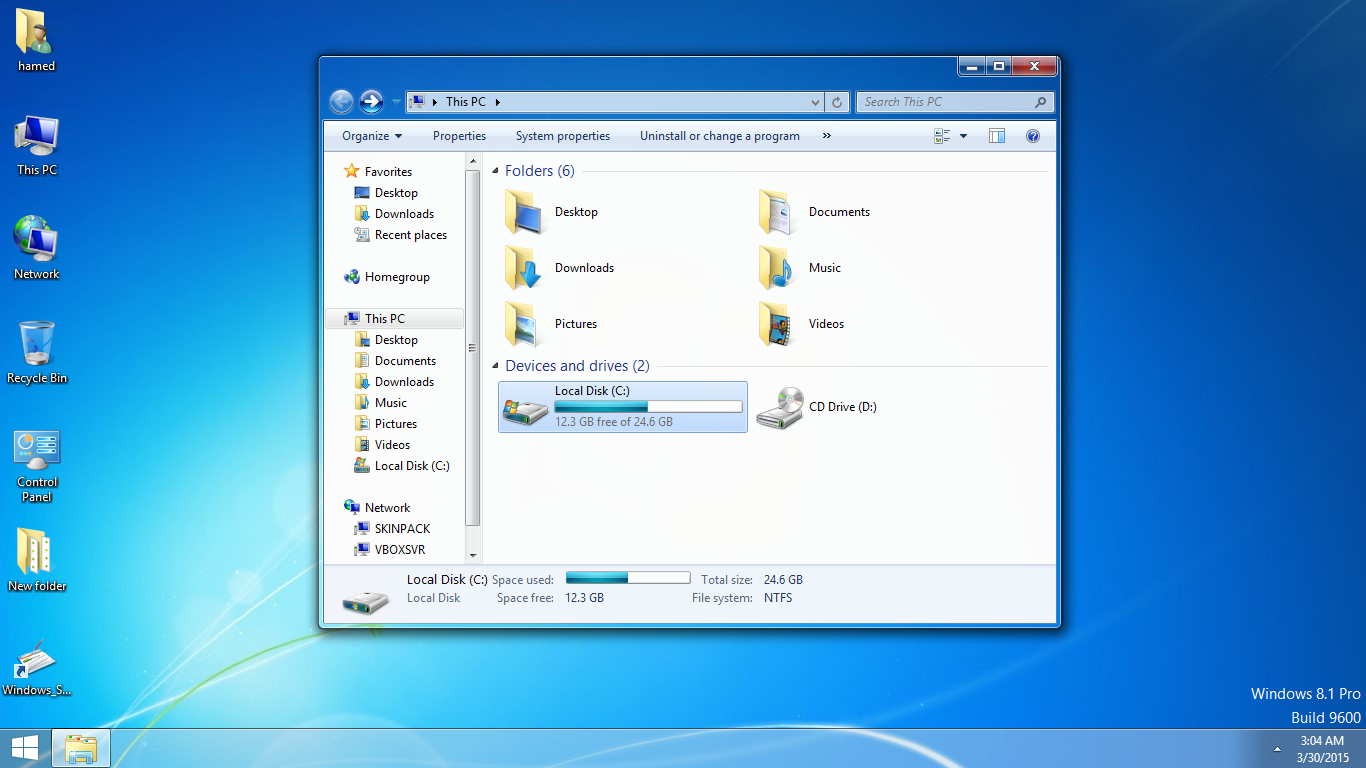
Transform Windows 8/10 to Windows 7
 Download from gumroad for $4.99
 Windows 7 SkinPack for WindowBlinds
Windows 7 SkinPack for Win11
 Windows SkinPack Collections
to have aero glass effect you need to install:
- DWMBlurGlass – Add custom effect to global system title bar, support win10 and win11.
The Windows 11 theme’s themselves are experimental, much of the overall look and results will vary depending on each users dpi settings, Best work on 100% scale and layout size, you need to set it from display setting, Also for enable start menu and taskbar skin you need to install startisback from startisback.com
Password: skinpacks.com
Malware/virus warning? Read the FAQ.
Windows 8\10 [X86_X64]
Note: Please unistall old or other version of skin packs before install new one. if your theme not changed or its like classic windows you need to install uxtheme patcher from here and after restart select new theme from personalization.
Because skin packs will change file system (imageres.dll) to change icons so anti virus give warning, please disable temporary if you’re using anti virus. all theme have been fully tested, once purchase has been completed no refund will be available, however we will try to provide all possible technical assistants as required.
You’re advised to Create a System Restore Point before installing skinpack.If you have problem with install or uninstall skinpack, please check our help page.

I want this for mac… Why only available in windows? I want install this skinpack in mac!
yes
Parfait pour profiter d’un nouvel OS sans changer ses habitudes.
Très bon travail et le résultat est bluffant.
do you see the foolishness of Microsoft?,by force they gave black and everyone wants win 7,features they would add and that’s it and not miracles crap as the world stands and so the system backup total on win 7 stands,win 7 64 bit JG U.
does it work on windows 11?
how to get the lite version
will this work in windows 10 22H2 ?
Yes.
How do I know this is not a scam to steal my card info? AeroGlass8 and other mods haven’t worked for Windows 10 since 1909 (2020) and now there is a solution?!
its not glass have aero effect and also you pay with gumroad.com not us
my windows 7 skin pack i have purchased dose not work on my instaltion of windows 10 enterprise 22h2. i have more then the minium requierments for windows 10.
Windows 7 can work on windows 10 21h2?
yes
The version lite is not a virus?
no
its 100% no Virus
Hello there: a question….a little more than a mth ago I purchased this package, it has run near flawlessly, today I find that the BackToStart has a time-bomb built into it. The program has to be registered to return to a condition without the watermark. Why would you not include a registered version in your paid for program?
Given your lack of response on this issue, I reached out to the StartisBack programmers & inquired about the trial version of their software in your Skinpack package that is supposed to be a registered version you’re selling to unsuspecting customers. They were in the dark about your use of their product, & since you essentially pirated their material I had my credit card supplier instigate a chargeback on my purchase from you.
Thanks for informing about that. You saved me from buying this pirated crap.
Are you guys plan to make Windows 11 version?
yes soon
I mean it pays to have the fucking icons that scam
malara bak herşeyi para ile yapıyolar
[…] Visit Download Page Share 0 Tweet Share Share Share […]
Thanks a lot for that piece of advice with creating a Windows Restore Point and the way of providing that information!
Request anime Date A Live
bahut achha hai]
Windows 10 thinks it is a Virus and i cant open it what do i do?
read about it here: https://skinpacks.com/help-faq/
tnx
Sir downloading is stop on 10%
Please Fix it
try to use vpn or proxy
i cant change the theme infinity loading no downloading
try to use vpn or proxy
(Windows 10) Error :( Please Update!
we will update it soon
Please fix the skinpack for Windows 8.1, After selecting stuff for the skin, it cannot continue! It is just stuck on a Blank White screen when I have only Back, Next ( it was available ) and Cancel, I waited for hours it just wont continue!
press restart, then press enter
Please add the RS4 version
Extracting files to C:\Users\Alexander\Downloads folder
Extracting from SkinPack 7.sfx.exe
Checksum error in SkinPack 7.exe
Corrupt header is found
Checksum error in the encrypted file C:\Users\Alexander\Downloads\SkinPack 7.sfx.exe. Corrupt file or wrong password.
fixed, thanks for report.
does it make ads popup on ur computer?
no its installing some other app
Hello Can you update this for the 1803 Win10 update?
Hi skinpack i have buying skinpack windows 7 But I could not install windows 10 Because Uxstyle no’t complated for Windows version 10
you need to install uxtheme patcher from here: https://uxthemepatcher.com/
Hey, this is great, does it work on the later versions of Win 10 (e.g. v.1703, Creators Update 2017)?
[…] For Win7/8/8.1 Vertex Skin Pack | For Win7/8/8.1/10 Wave Skin Pack | For Win7 Windows 7 Skin Pack | For Win8/8.1/10 Windows 8.1 Skin Pack | For Win7/10 Windows 10 Skin […]
i cannot change the theme in my pc its grayed out, when i click on the theme nothing happens plz help me
It doesn’t look like what it claims to look like. The close restore down and minimize icons in applications look ugly.
you need to install uxthemepatcher first
I downloaded the uxtheme patcher application but it did not happen again please help !!!!!!!!!
https://uxthemepatcher.com/
Help, please. Nothing works, just desktop icons change to old. Anything else still ugly as it was in w10:(
I have w10,I want back w7 designt
you need to install uxtheme patcher first
dose this work on windows 10 Anniversary Update 1607
it work just on win10rs1
background is not changed
It works for Windows 10, but all it does is change my background and icons to Windows 7. The windows are still Windows 10 themed, not Windows 7 themed.
[…] Visit Download Page […]
[…] Windows 7 Skin Pack | New! – Support Win8/8.1 […]
Many User Facing some problems from this site but i don’t because i got many useful and beautiful skinpack from this website that i have need. Thanks to specially the owner of this webiste.
1. How to extract the EX file?
2. How to use the UxTheme Patcher?
Please, i need it
You must rename .ex to .exe
it´s now for windows 8.1? Because i install this skinpack i restart pc and i log in and desktop flash? Thanks for help
Maybe, yeah… Maybe
[…] Visit Download Page […]
I want Install Windows 7 Skin Pack on Windows 8 to make may Laptop Desktop to Windows 7!!!!! Please Help me! Thank you for your understanding.
Can you please make Windows 7 Skin Pack that I can Install it on Windows 8 to make Windows 8 to Windows 7!!!!!!!!!!! Thank You Please do that today or tomorrow. Please I want my laptop to a Windows 7 Skin Pack!!!! Thank You
u just download the classic shell and this skinpack
Does it work with windows 10?
I am using it now with build 10240 release version!
only problem was maybe due to me upgrading from an earlier release..
It asked to uninstall existing version, it then installed ok.. seemed to freeze at end, but logged off and on again, works ok!! :)
something happening after i robot and i can’t do anything i try to recovery but it didn’t work
PLS help me
its not support win 8.1 yet
I got a few questions 1.Does it need the Uxthemepatcher? 2.Does it support windows 8.1? 3.Will i get problems on my computer if i install(my pc is windows 8) ?
1.yes
2.no
3.no
I am using 8.1.After Installing skin pack, explorer keep on blinking.I can not able to access anything except task manger. Even in task manager, process are refreshing less than a second. not able to close any task. Please help me
its not support win8.1 yet, https://skinpacks.com/help-faq/how-to-recovery-windows/
the link not work
Beautiful please more themes for windows 8.1
Thanks!!!
Please add more customization by Mr GRiM, Lamia, Razorsedge. Such as Exo Black Red Theme, Blade, Rise of the Primes: Honor the Autobots, Fury Road: Road Warrior etc.
PS.RED hud icin Pack not working full of errors.
I very much green patch.
But the real problem
it’s available for 8.1?
not yet
heyy my os …that is win 8 ..is restarting and flashing black screens after i installed these themes !! any idea bro ..!! plzz help me out.. iwanna run these thems on my pc
:) :)
we will fix it soon
[…] 7 Skin Pack […]
will this work on Windows 8.1 (Blue) I have it installed in my computer. and I bought Start8… but i would like to know if to wait for any unexpected behaviours.
not yet
Someone finally created Windows 7 Aero Glass rounded corners theme.
http://xxinightxx.deviantart.com/art/Aero-8-350491112
“..This theme has been redesigned to fit in with the style of windows 8 with squared off borders, buttons, and controls (Also Rounded).
It works well with the Aero blur tool and startisback Start menu re-implementation.
This theme includes all Windows 7 Themes; Architecture, Characters, Lanscapes, Nature, Scenes, & United states. (Includes Wallpapers, SoundSchemes, & Cursors).”
ff
we will update it soon
[…] 7 Skin Pack Chromium Skin Pack […]
EXpires after 30 days, how can I obtain the registration key?
buy start menu or use free version of ftart menu from iobit.com
Or..
Try Classic Shell, lifetime free!!
[Includes Classic Start]
http://www.classicshell.net/
ff
yes its good too just google it and you can find many start menu free
Please round the edges of all windows
in this skin pack,
like in Windows 7 ! ! ! !
Square edges of all windows look hard and unnatural..
This skin pack rocks!!
CM
Hi!! great work…though need some improvements… I like your CRYSTAL SKIN for win7..plz mod that for win8 as well. I feel that Cryatal Skin is your best skin that I’ve ever used. Please make that skin available for windows8 …Thanx :)
sure
Please add taskbar reflection, and I will certainly use this pack.
sure
how can i accses gadgets?
in rainmeter
this skin pack is available for windows 8 32 bit?
yes
i have a problem. .
i can fix it. .
After installing skinpack 8.1 my computer doesn’t on
doesn’t start
i can see starting windows but it doesn’t start
its not support 8.1 yet