
Ads
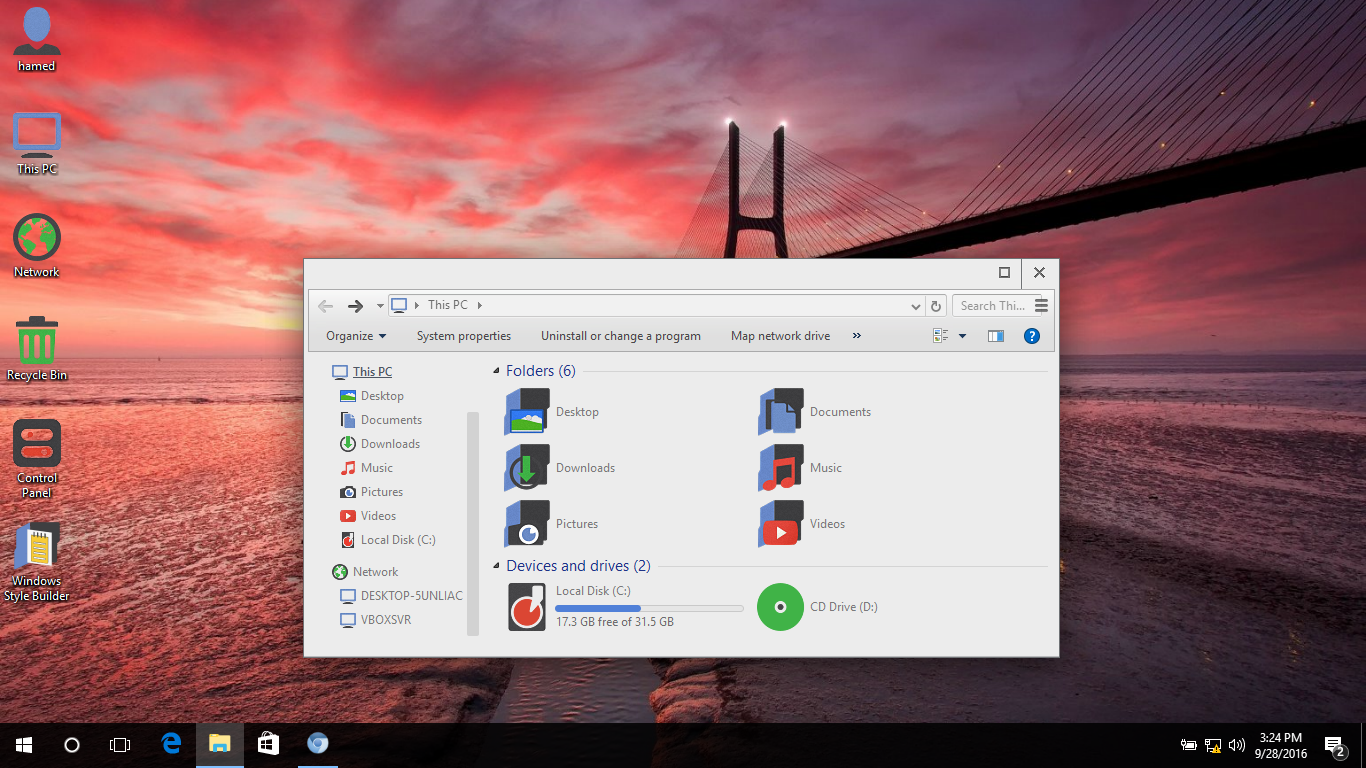

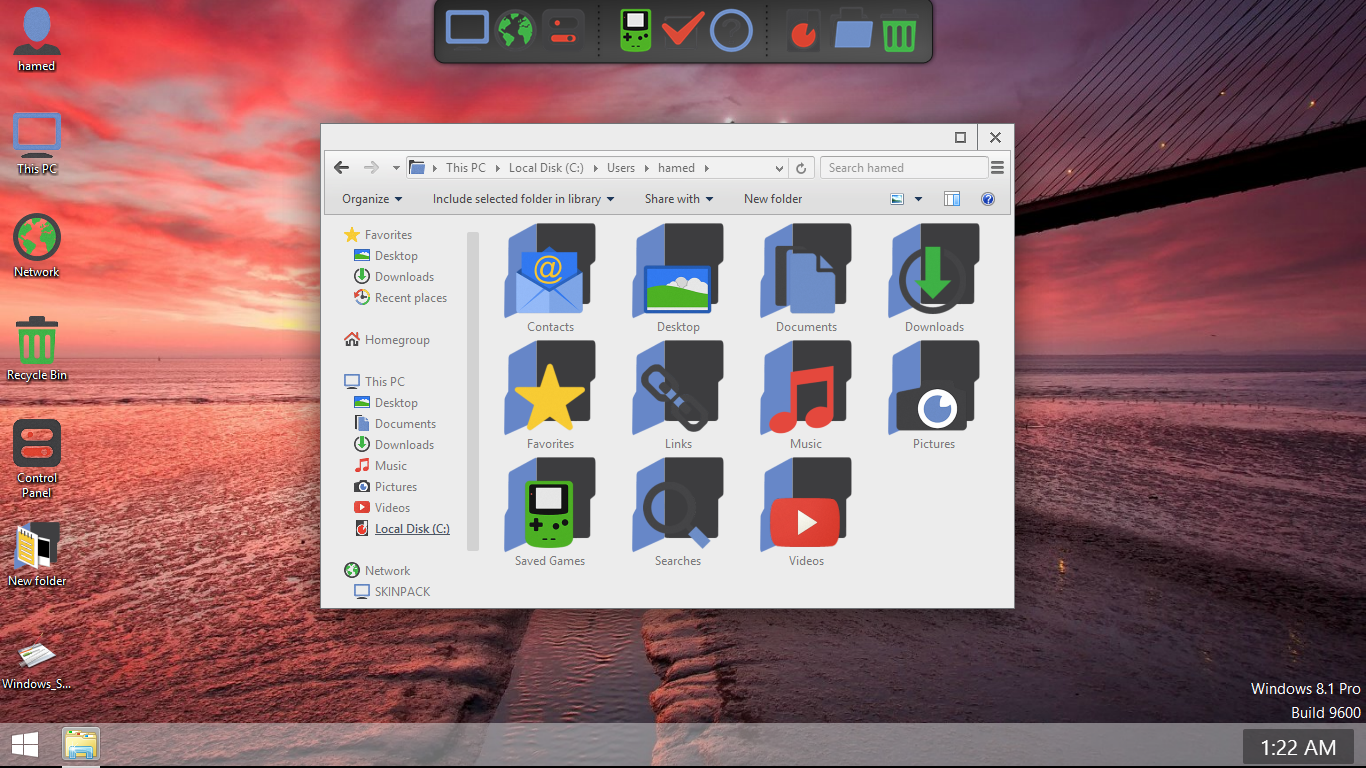
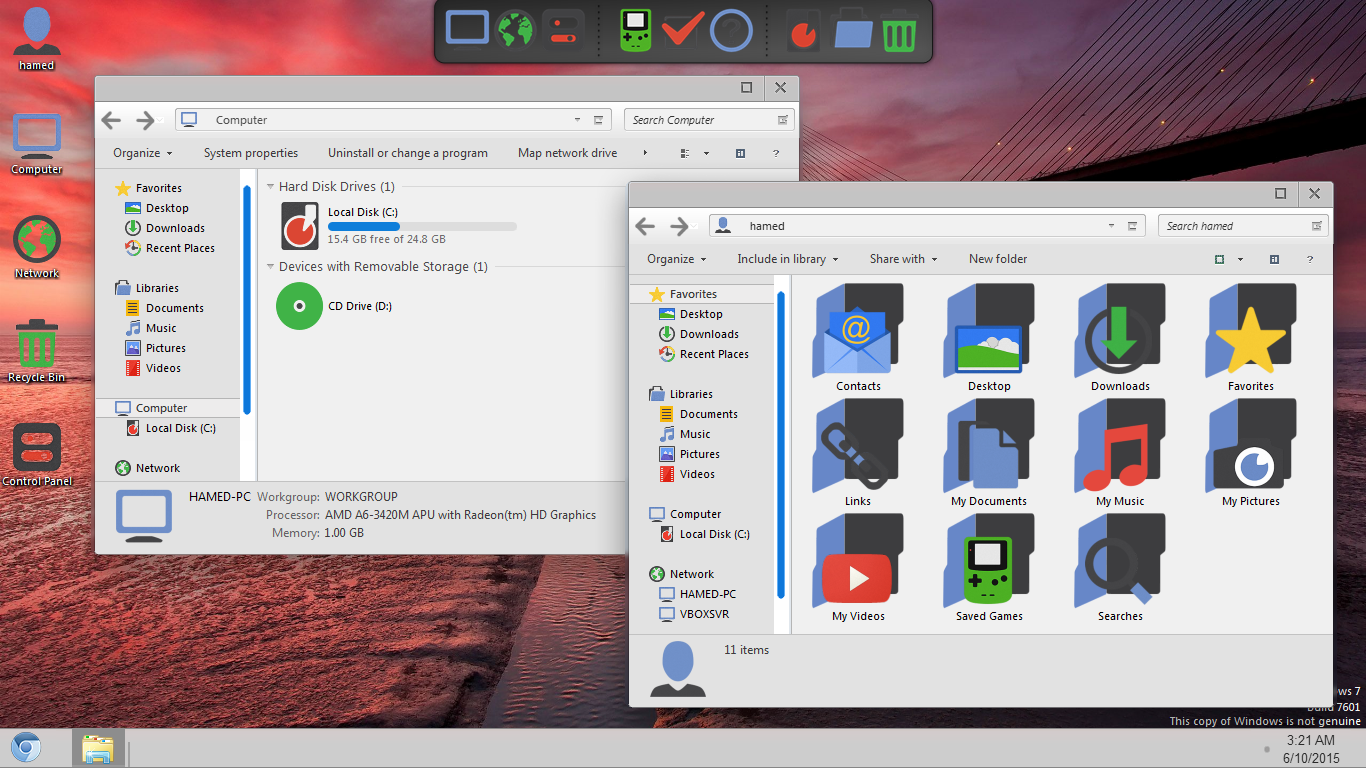
Transform Windows 10/8/8.1/7 to Chromium OS
 Download for $4.99
The Windows 11 theme’s themselves are experimental, much of the overall look and results will vary depending on each users dpi settings, Best work on 100% scale and layout size, you need to set it from display setting, also for remove Windows Ribbons install Old New Explorer from here.
Password: skinpacks.com
| Malware/virus warning? Read the FAQ.
Windows 10RS1/8/8.1/7/SP1 [X86_X64]
Programs:
RocketDock 1.3.5 by Punk Labs
http://rocketdock.com
Changelog:
Version 2.0
add support Win10RS1
Note: Please unistall old or other version of skin packs before install new one. if your theme not changed or its like classic windows you need to install uxtheme patcher from here and after restart select new theme from personalization.
Because skin packs will change file system (imageres.dll) to change icons so anti virus give warning, please disable temporary if you’re using anti virus. all theme have been fully tested, once purchase has been completed no refund will be available, however we will try to provide all possible technical assistants as required.
You’re advised to Create a System Restore Point before installing skinpack.If you have problem with install or uninstall skinpack, please check our help page.

[…] بسهولة وبدون مشاكل تحويل مظهرك إلى نظام Chromium الرائع. ( قم بتنزيل النموذج […]
[…] For Win7 Blend Skin Pack | For Win7 Christmas Skin Pack | For Win7/8/8.1 Chromium Skin Pack | For Win7/8/8.1 Crystal Skin Pack | For Win7/8/8.1 dEEP7 Skin Pack | For Win7 […]
[…] For Win7 Blend Skin Pack | For Win7 Christmas Skin Pack | For Win7/8/8.1 Chromium Skin Pack | For Win7/8/8.1 Crystal Skin Pack | For Win7/8/8.1 dEEP7 Skin Pack | For Win7 […]
[…] لديك الي شكل نظام Chromium الرائع بسهولة وبدون مشاكل. ( تحميل الشكل […]
[…] Visit Download Page […]
how can I change the Start Orb?.. As I changed it, it always revert back to Chrome Start Orb..
place or code
Thanx, It is awsome but some of the packs have black screen issues in win 8.
[…] Visit Download Page […]
[…] ডাউনলোড লিংক […]
Can you change the white taskbar to black like before?
I can not download says Service Unavailable
Fixed thanks for report
Hamed bro, can you make a Chrome OS skinpack with transparent taskbar except for icons and date/time like in Chrome OS.
Refer:
http://venturebeat.com/wp-content/uploads/2012/04/chromebook-aura-2.jpg
https://www.youtube.com/watch?v=ntLPcVAyNPE
I got the transparent taskbar with this theme, but its buggy:
http://dave2399.deviantart.com/art/Windows-7-Everest-Aero-invisible-taskbar-theme-462252170
Thanks for all your great works bro!
How can i create my own theme?? :D , i will use it to my skinpack .
https://skinpacks.com/download/skin-pack-installer-system/
how can i remove the skin pack and take it back to stock windows 8.1
https://skinpacks.com/help-faq/how-to-uninstall-skinpack/
I Found Easiest Way Just Install another skinpack.
Then,press install but it will ask to unistall old pack
First of all,thanks for providing such cool skinpacks.I installed this skinpack and i m luvin it.But some elements of taskbar like(start button) did not transform.I am runing win 8.1 64-bit pro.Please help me.I have already installed ultra uxpatch.
we dont change startbutton anymore
thanks first,but i have found a bug here(or i have not install correctly),while right clicking the icons in the taskbar ,the background leaves a bit discord ,it runs at win8.1 update.or i post a picture in here,http://www.huati8.com/wp-content/uploads/2014/09/103745.jpg
we will fix it soon, thanks for report
Why am I getting Win32:Malware-gen?
SkinPack Notes:
Modifying system files and changing system configuration may get reported as malware by some antivirus software.
You need to temporary turn-off antivirus software so that program won’t be interfered during installation/uninstallation.
If you feel insecurity with this, you can consider ThemePack as it doesn’t involve modifying system files.
For people who prefer to use safe and risk-free version, please consider using ThemePack instead. It doesn’t involve system files modification so everything is safely reversible.
thanks man! love this theme
Hello, is this suppose to be here? (silver part) http://oi57.tinypic.com/2iu3o9g.jpg
yse
Awesome theme!
Here’s a bug I found when using this on my windows 7 laptop: the start menu icon still is the system default icon if I use small icons for taskbar.
can you send a shoot
Hi, glad to see your fast reply. I don’t know how to upload the screen shoot in comment, so I upload it to the imgurl, here’s the link http://i.imgur.com/aVMd6Jj.png
I really like this Chromium skin veryvery much, thanks your great job again!
please select chromium theme from here: Control Panel\All Control Panel Items\Personalization
Unfortunately,I’ve tried but with no lucky. Every time the OS reboot the start menu is back to the default windows icon. And there’s a unsaved theme in the my theme.
you need to use uxtheme patch
hi Hamed, yes I have the uxtheme patch installed. It is installed with the skin pack. Everything works well but the start menu icon. Don’t know if you have reproduced this on your side.
you need to install theme resource changer
FYI. if I uncheck the ‘use small icon on taskbar’ then the start menu becaomes the Chrome icon, and then check it again to use small icon for taskbar , now the bug gone
hey bro pl;z New Skin banao 3Dvfx Style and change statup Style.tnx
[…] Visit Download Page […]
Can i know which software is changing the user login picture frame on logon screen into perfect square or how to do it manually?
win7 logon changer
How to i only tweek the users picture box shape into one of the above?
can we uinstal that
yes sure
[…] #10 Chrome Skin Pack or Transformation pack This Skin Pack or Transformation pack will transform your Windows 7(Not XP) to Chrome Download and Details […]
My boot scrren from Genome is not restored to Win7 bootscreen when I uninstalled the Genome Theme. How can i restore it to default now?
https://skinpacks.com/help-faq/
Beautiful skin but… how to disable sound? Expecially during loading… it’s very annoying!
unistall media from unistaller option
after i uninstall the chromium skin pack.. still the icons and startup screens of chromium skin pack are not removed…any solution for that???? plz tell me..
fixed, https://skinpacks.com/help-faq/
I have a problem when windows is on, after a while I´m getting a message that windows browser stopped working. Can you help me please?
fixed
AMAZING!!!!!!!!!!!!!!!!!!!!
Thank you
it distroyed my windows xp.now when i start up,after seeing the start screen,then it again restart.plzzz helpppp
its for win7 not xp!!
wat could i do now?????????
fixed
Can u help me?????
hahaha yes its for win 7 :)
[…] Win7: Download […]
[…] #10 Chrome Skin Pack or Transformation pack This Skin Pack or Transformation pack will transform your Windows 7(Not XP) to Chrome Download and Details […]
I like this.. it is COOL
Too much many superfluous!
I like it but is there any way to change the color on the buttons? I do not like the orange color.
fixed
I have my task bar on auto-hide and it leaves behind a shadow that will not go away. Any solution?
report here
This works for me but in chrome, it doesn’t show the letters of the tabs and the bookmark bar but has text on the websites itself. The letters are like broken and unreadable. It only does that in chrome which is ironic seeing as this is Chromium. Other skinpacks I’ve tried are alright. Any solution?
just unistall gdi++ from unistaller option
thanks, the advice worked! Keep up the excellent publishing skin pack :D
i think there is something wrong while downloading something from here it takes a lot time.. to download’??
fixed